
Fediverse
August 21, 2026
Export (ODT) Export (Markdown)Hey everyone! After a long time, I'm back with another long-form article. This time we take a look at the ultimate alternative to basically all Big Tech social media platforms: the Fediverse (or as its users often call it: Fedi). First, we'll discuss the structure of the whole Fediverse network, then we'll take a look at how it all started and where it is today, discover a few popular Fediverse platforms, which offer alternatives to specific Big Tech platforms, discuss the advantages and disadvantages of the Fediverse, and finally, we'll talk about Threads, a Big Tech (Meta/Instagram) platform which forces itself into the Fediverse, but contradicts with the values the Fediverse stands for, and how it can destroy the Fediverse in the long term, if we don't fight back.
1. Structure
Let's start with a simple example: have you ever wondered, how is it possible that you can send email from your Gmail address (or Proton Mail, if you're a privacy-conscious individual) to another person's Outlook address? That's because all these email services are interconnected, can communicate with each other. It's made possible via the following two core concepts: decentralization and federation. Decentralization means (in this context) that all email services run on different servers, no company has full control over all the different services. Gmail runs on Google servers, Proton Mail runs on Proton servers, Outlook runs on Microsoft servers, etc. Federation builds upon decentralization, it enables the different services to communicate with each other, via a common protocol, which is called SMTP in case of email. This protocol ensures that the different services can understand each other's requests and send content (an email in this case) over to the other service.
Now, Fediverse is based on the same concept, except it takes it a step further: it's a decentralized/federated network of decentralized/federated networks (hence the name Fediverse = Federated Universe).
Let's break it down a bit: on the higher level, there are different platforms: Mastodon, PeerTube, Pixelfed, etc. We'll look at the different platforms more closely later in this article, but in a nutshell, each of them seems like a separate platform at first glance, they have different design, features, etc., but they still can communicate with each other, synchronize content (e.g. PeerTube channels appear as user profiles on Mastodon, and the videos uploaded to a PeerTube channel appear as posts with video attachment on Mastodon).
Platforms are divided further into different "instances" (or servers), which are basically different servers operated by different companies/organizations or individuals. (This is where the main difference is compared to email.) So basically, no company/individual has full control over the Fediverse itself, and no company/individual has full control over Mastodon, PeerTube, Pixelfed, etc. either (unlike in case of email, where Google has full control over Gmail, Microsoft has full control over Outlook, etc.)! These instances can also communicate with each other, e.g. if we take two Mastodon instances, mastodon.social and social.linux.pizza, posts published by mastodon.social users can also be seen by social.linux.pizza users, and vice versa, plus instances of different platforms can also communicate, e.g. a channel on a PeerTube instance (e.g. TILvids) is also visible on a Mastodon instance (e.g. mastodon.social) as a regular user profile. To use a specific instance, you can access it from the browser, by going directly into the instance's domain (e.g. mastodon.social), or you can use the official mobile app of the specific platform (e.g. the official Mastodon Android/iOS app in case of mastodon.social) or any 3rd party mobile/desktop app. We'll discuss the platform-specific options later. There's also an option to host your own instance, if you have the time, money and knowledge to do so, and you can decide whether you allow other people to create account on your instance, or you want it to be just for you (if you have limited server capacity). I won't discuss self hosting in this article, because I don't have the resources to host my own instance, so I have no experience in it.
The communication between platforms and instances is powered by the ActivityPub protocol, similar to how the communication between different email services is managed via the SMTP protocol.
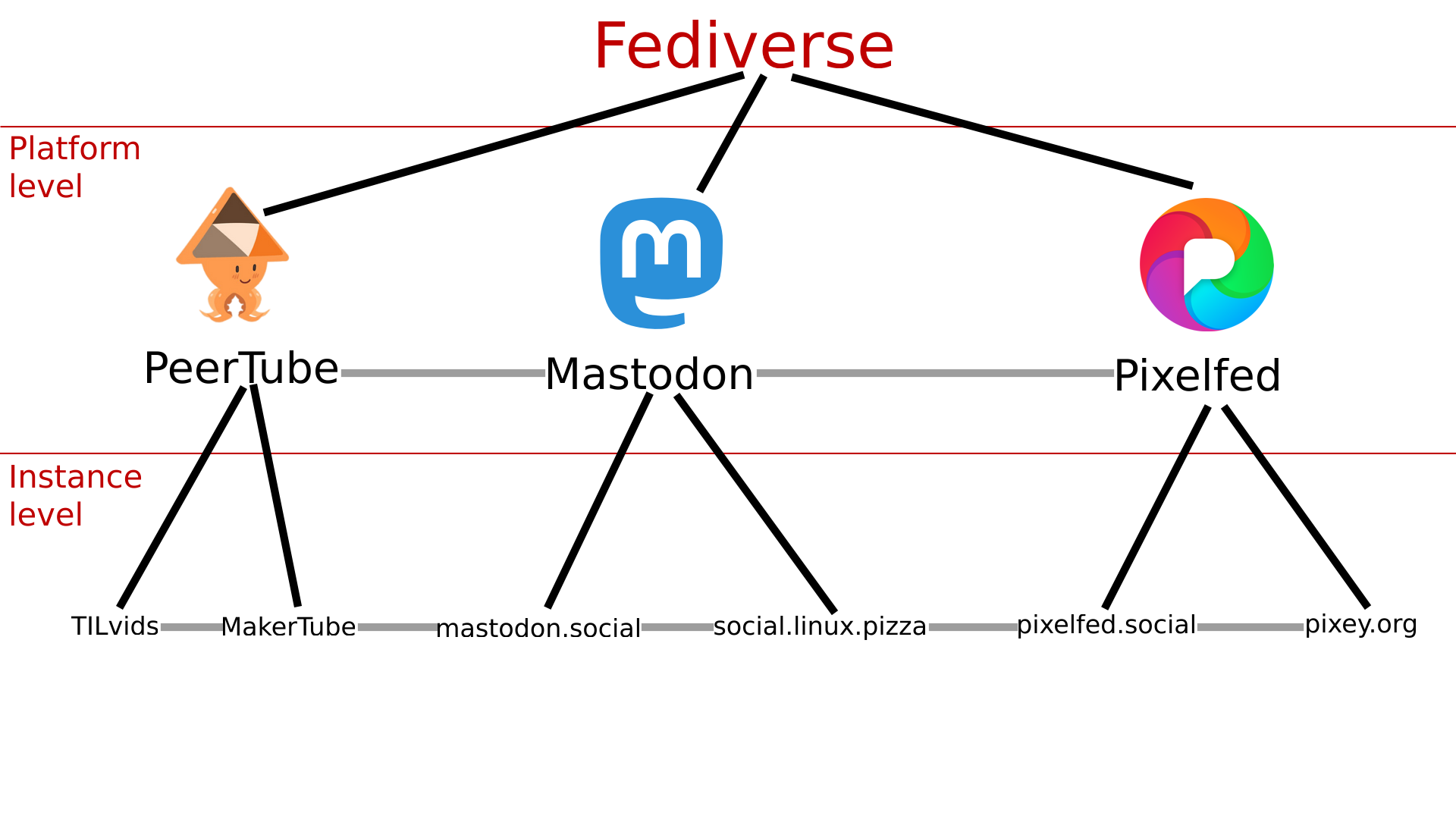
In the image above, grey lines indicate the connections made between platforms and instances, by the ActivityPub protocol. In reality, every instance is connected to every other instance, e.g. TILvids is also connected to social.linux.pizza directly, I just didn't draw all the lines because that would look like a mess lol, same for the platforms, although there are some limitation regarding content visibility, we'll discuss those limitations later. Also, there are much-much more platforms and instances than which are visible on the image. There are approximately a few hundred different platforms, each platform (or at least the vast majority of them) has several instances (the major ones can have even a few hundred or thousand instances).
ActivityPub wasn't always the protocol powering the Fediverse though, there used to be (in fact, still are) a few others.
2. History
The whole story started in 2007, with a platform called Control Yourself (later renamed to Laconica, then StatusNet), a microblogging platform similar to Mastodon (and X/Twitter), developed by the Free Software advocate Evan Prodromou's company (so he's basically the creator of the Fediverse), using the OpenMicroBlogging protocol to enable communication between the instances of the platform.
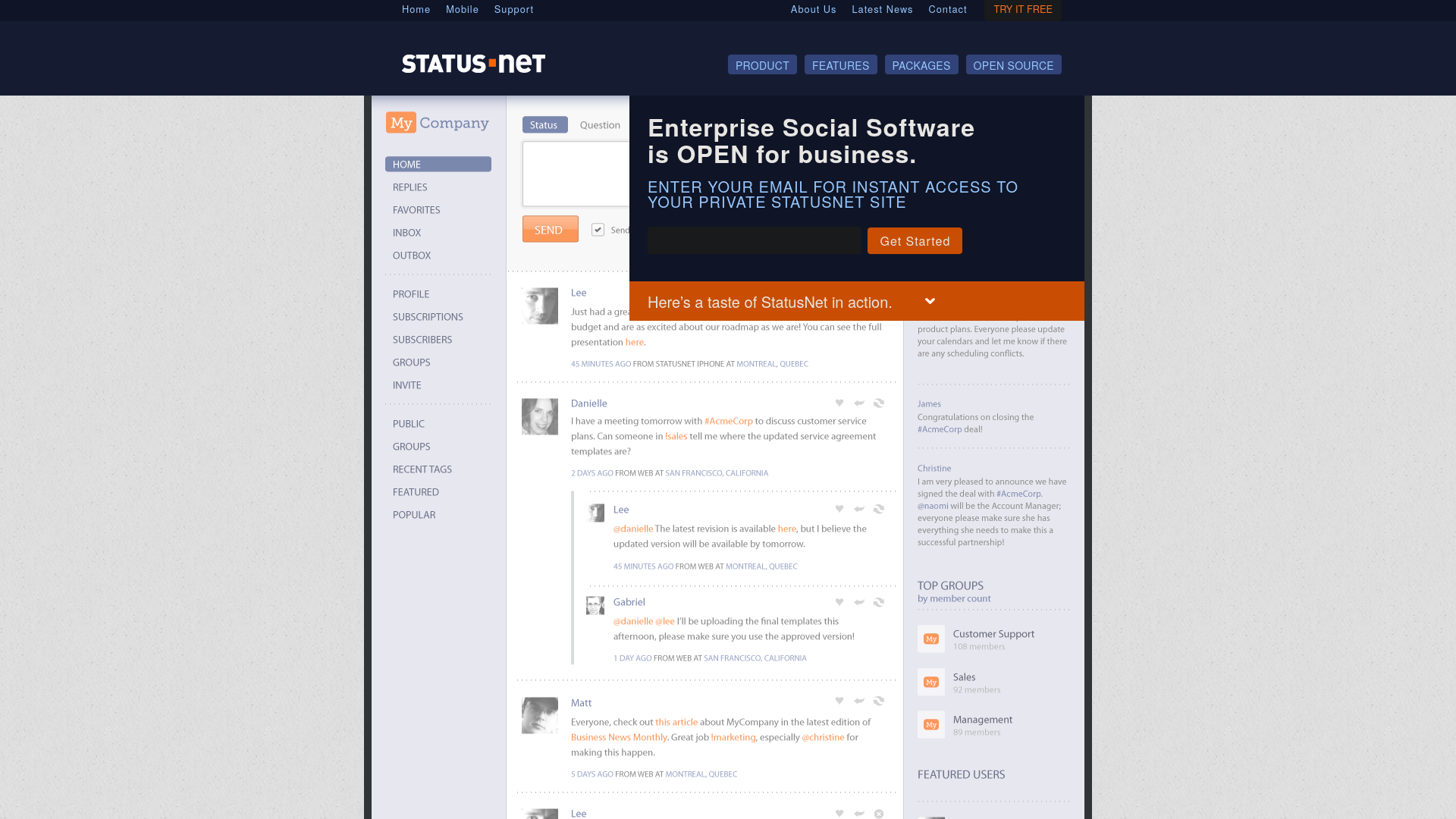
Later on, realizing the limitations of the OpenMicroBlogging protocol (e.g. not being able to link people mentioned in a post, reply to people who aren't subscribed, etc.), OStatus is created as a suite of already existing protocols (source: Evan Prodromou's blog post) implemented by StatusNet in 2010.
Also in 2010, Friendica is created as a community project, along with Hubzilla (both are still under active development today), as FOSS Facebook alternatives, connecting to StatusNet via the new OStatus protocol.
In 2012, the founder Evan Prodromou left StatusNet, founded a new company E14N, which developed another platform Pump.io with a different protocol, the main StatusNet instance identi.ca was migrated to the new platform, breaking the connection with other StatusNet instances, which were slowly abandoned over time. Evan created the predecessor of the Fediverse, then basically nuked it (well, almost) lmao.
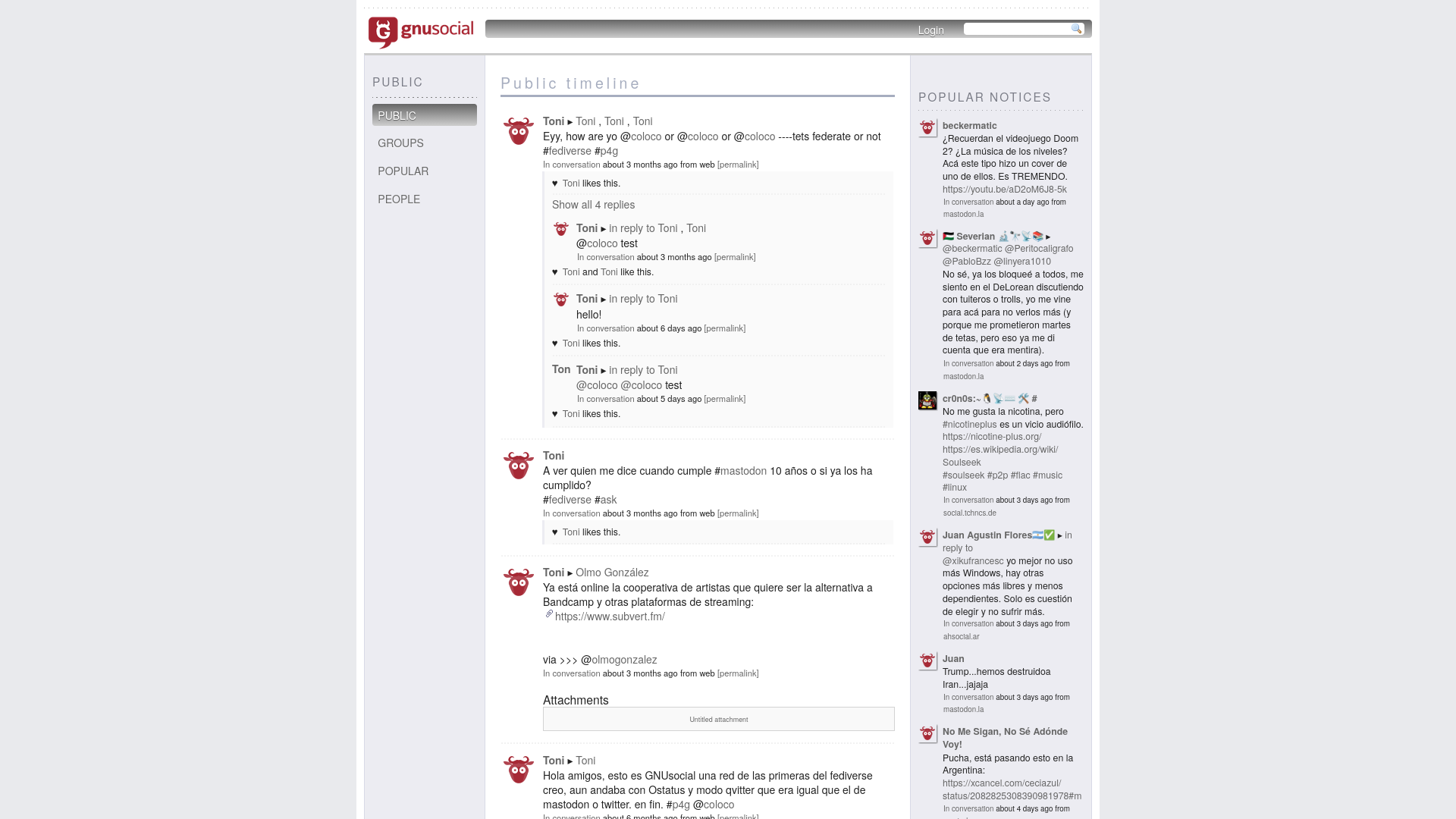
At the time, StatusNet also had two forks, aka. modified versions (since it was FOSS), GNU Social and Free Social. In 2013, StatusNet and Free Social were merged into GNU Social (which still exists today, and adopted the ActivityPub protocol, but the project is mostly abandoned, there are only 5 instances left).
In 2015, Minds was created, which later joined the Fediverse.
In 2016, Mastodon hit the scene, as another X/Twitter alternative, which quickly became the most popular platform of the OStatus network, overtaking GNU Social.
In 2017, PeerTube is created, enriching the network with a YouTube alternative. It was initially developed by a single developer known as Chocobozzz, who later that year got hired by FramaSoft, a French non-profit, continued working on the project with more resources and contributors.
In parallel with the OStatus network, a platform called Diaspora was created, using its own Diaspora protocol. It was at this time (around 2017), that the term "Fediverse" became widely used. Platforms using the OStatus protocol (e.g. GNU Social, Mastodon, Hubzilla, Friendica) were called the Fediverse, platforms implementing the Diaspora protocol (Diaspora, and also Hubzilla, Friendica) were called "the federation".
In 2018, the W3C (the organization operating the Internet itself, and developing its standards) created the ActivityPub protocol, which provides more seamless communication between different platforms. One year later, basically all platforms using the OStatus protocol added support for ActivityPub too, then most platforms removed OStatus support, with the exception of Hubzilla, Friendica and GNU Social (Friendica basically communicates via 4 different protocols: ActivityPub, OStatus, Diaspora protocol, and its own protocol DFRN lol).
Also in 2018, Pixelfed got created as a Fediverse Instagram alternative.
In 2019, the Gab social platform's mobile apps were banned from Google Play and App Store, so they decided to fork Mastodon, to connect to the Fediverse and make their service available via the Mastodon apps, but the official apps and some 3rd-party apps blocked it, the admins of other instances defederated it (i.e. stopped communicating with it), due to political reasons I won't detail here. (Interestingly, Minds has similar political leaning, and it didn't get defederated)
At the same year, Lemmy was created as the Fediverse equivalent of Reddit, along with Pleroma, as yet another X/Twitter alternative.
Some controversies around Big Tech platforms like X/Twitter and Reddit also helped the Fediverse to grow pretty rapidly. In 2022, Elon Musk took over X/Twitter, which many people didn't like, started to look for alternatives, many of them came accross Mastodon which aims to be the Fediverse equivalent of X/Twitter, the platform gained ~1 million new users (which made many instances overloaded, there were pretty serious issues with loading the sites, I was "lucky" enough to experience it myself lol). One year later, Reddit decided to make their API paid for developers, forcing many popular 3rd party Reddit clients to be discontinued, which resulted in a huge protest where a large number of subreddits experienced blackout, their owners decided to migrate to alternative platforms. Of course, the Fediverse chimed in again, offering Lemmy and /kbin (latter is now discontinued) as Reddit alternatives. Lemmy's monthly active user count increased from 1k to 66k during the protest. Whenever a Big Tech platform does some bs and pisses off its users, the Fediverse chips away some marketshare from it 😎
Seeing the success, some external, proprietary platforms like Threads, Tumblr and Flipboard wanted to join the Fediverse, Threads and Flipboard are already mostly integrated into the Fediverse. Tumblr was migrated to an architecture based on WordPress, which gave it access to the Fediverse plugin. Threads joining the Fediverse faced a pretty big backlash from the community, due to Meta having a track record of being hostile towards the competition, buying them, and applying the EEE (embrace-extend-extinguish) technique (more on this later in this article). Some Fediverse instance admins formed a pledge called "Fedipact" where they agreed to block federation with Threads on their instances, to protest against Meta taking over the Fediverse.
In 2024, a FOSS Fediverse TikTok alternative Loops (by Pixelfed devs) popped up, to offer you more privacy friendly brainrot if you wish lol.
This year (2026), Codeberg/Forgejo also started to add built-in ActivityPub support, making code repos visible from Fediverse platforms. Currently it's WIP, Fediverse users can't really interact yet with the repos, other than starring a repo, at the moment, but unstar, user activity following, repo search are being worked on. (Source: federation roadmap)
Besides platforms joining the Fediverse, some other platforms and protocols (AT Protocol (used by Bluesky), Matrix, XMPP, WordPress, Nostr, Drupal, etc.) developed bridges or plugins to communicate with the Fediverse without having built-in ActivityPub support.
3. Platforms
Now that we know, how the Fediverse looks like, and how it got to where it's today, let's take a look at its platforms. Now, there are some different interpretations of the term "Fediverse", some consider only the platforms using ActivityPub as part of Fediverse, some also consider platforms using other protocols (e.g. Diaspora) as Fediverse platforms. But either way, there are various types of platforms you can choose from, most of them offers an alternative to a specific Big Tech platform.
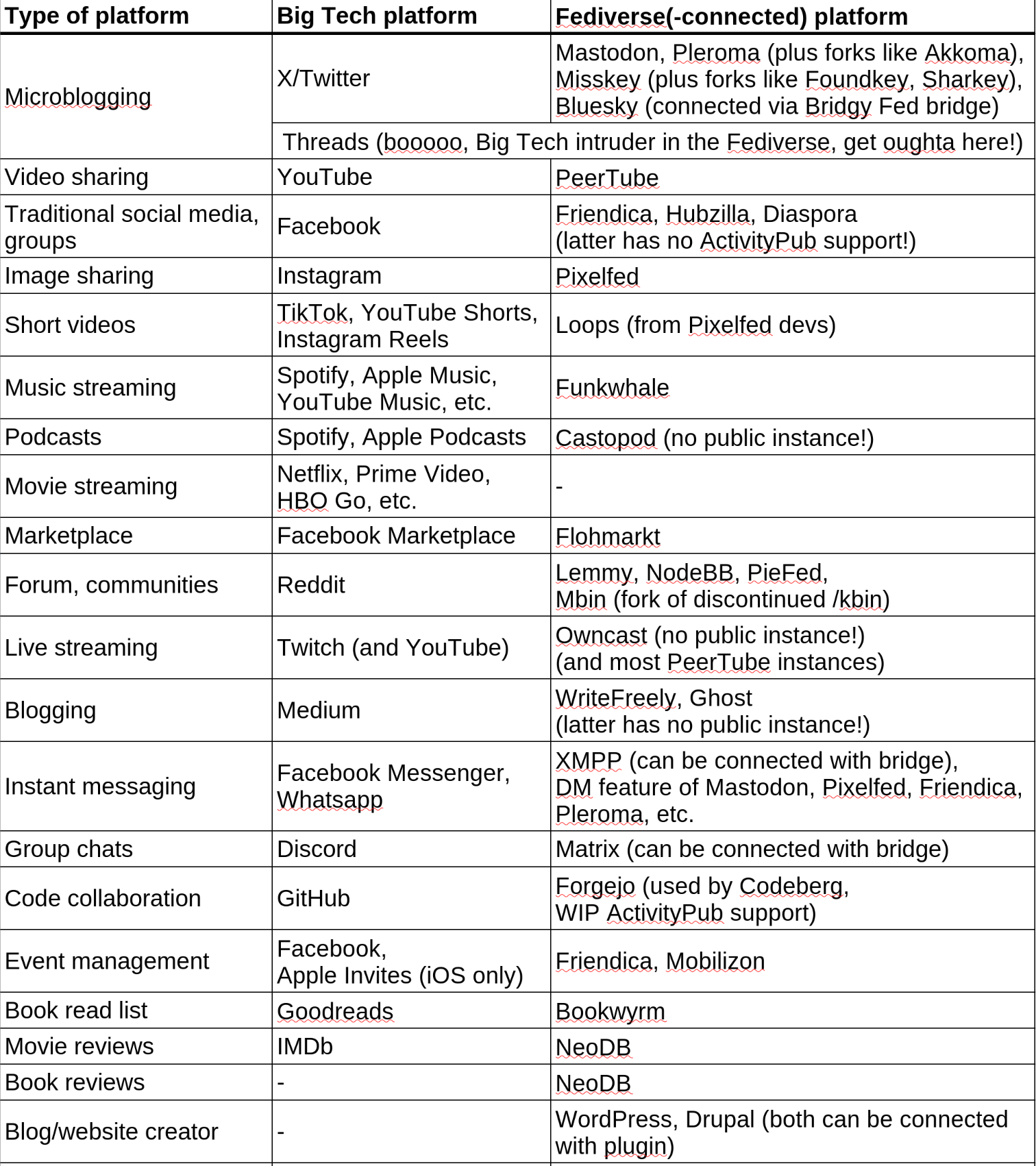
As you can see, there's a Fediverse alternative for basically all Big Tech platforms (except for movie streaming services like Netflix, we'll discuss it later why that's the case), even though some of them (like Castopod, Owncast, Ghost) don't have instances anyone can register to, so you need to self-host them on your own server (or rent a server). To find instances and clients for specific Fediverse platforms, you can take a look at the FediDB website, created by the Pixelfed team.
Let's take a look at a few Fediverse platforms in more detail.
3.1 Mastodon
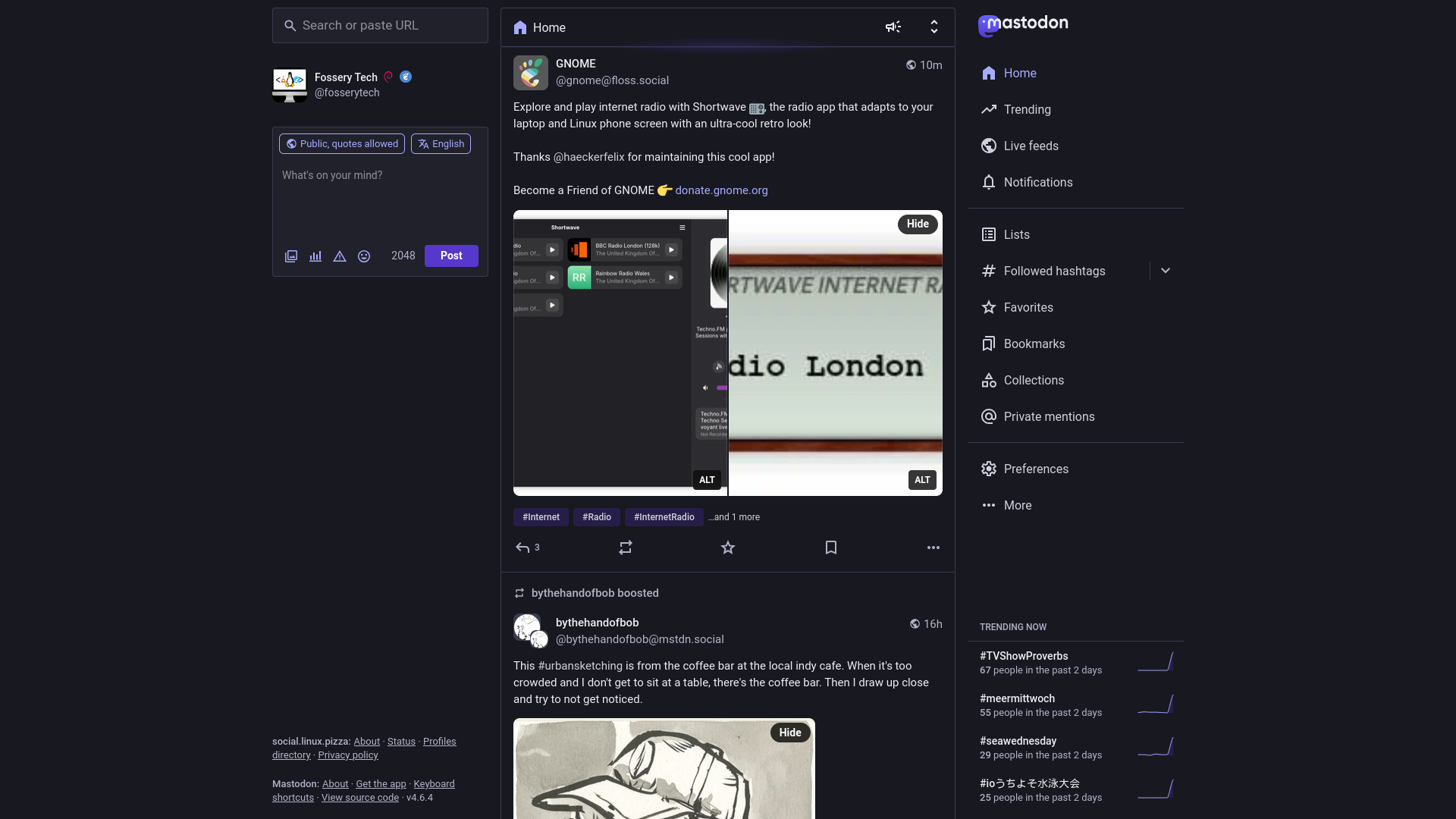
Mastodon (the elephant in the room, literally lol, ok this was a bad joke) is by far the largest Fediverse platform as of today (if we exclude proprietary platforms like Threads and Flipboard), with 8 million user accounts (on all instances collectively) according to FediDB. It's probably the best option for those looking for an X/Twitter-like experience (some people say that Pleroma/Akkoma is better, I personally find Mastodon's UI much cleaner, more convenient to use, at least the web UI, which I use all the time). It also includes short one-two sentence hints for features which might not be obvious at first, which makes it quite beginner friendly.
3.1.1 Features
3.1.1.1 Feeds and post interactions
On the Home page, you can see the posts from accounts you follow, and also the others' posts they boosted (shared). Under Live feeds (right menu), you can access all posts from the users of the Mastodon instance you're on, or posts from all Fediverse users the users of the instance follow. You can also create your custom feeds using the Lists option in the right menu, add specific profiles to specific lists, e.g. add the OBS project's and Proton's profile to a FOSS list, KDE's and GNOME's profile to a Linux list, etc. How cool is that?
To find interesting people/projects, content, you can do a search for specific profiles, posts, hashtags, etc. using the search bar on the left.
You can interact with posts in quite a few ways: reply, quote, boost, star, bookmark. Quote basically means that you can embed a post to your own post, share it with your own commentary (this is a fairly new feature, so it might not be available on some instances which run an older version of Mastodon). Boost also means sharing a post, but without writing your own post. Star is basically the equivalent of heart on X, or like on most other platforms. Posts you starred are also listed under Favorites in the right menu. Similarly, bookmarked posts appear under Bookmarks. It's a bit different than star though, because the author of the post can't see if you bookmarked it.
3.1.1.2 Posting content
There's a character limit of 500 for posts on most instances, with some exceptions, like social.linux.pizza, where it's increased to 2048, as you can see on the screenshot above. There's also option to attach images, shorter video and audio files (with alt text, which is optional, but you should provide it, to help visually impaired and deaf people, and have some placeholder text, in case the image doesn't load for someone), poll with up to 4 options, insert emojis (instance admins can add custom emojis, social.linux.pizza and mstdn.social (which I used previously) have quite a few of those), and add "content warning" which is originally designed to hide sensitive content by default, but it can also be used as a title field for the post (as I use it sometimes). You can also set the visibility of the post, and who can quote your post. If you set the visibility to "Private mention", you can basically send a DM to someone, which will appear to them in the Private mentions in the right menu. Boosting and quoting are automatically disabled for Private mentions.
Some tips for posting:
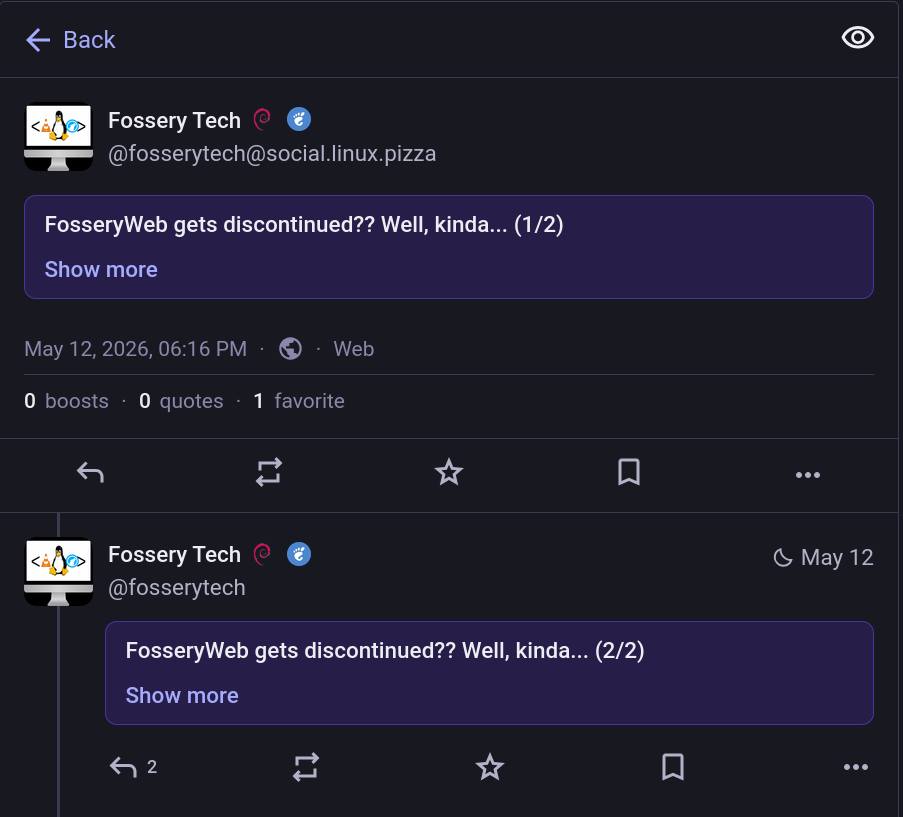
- If you exceed the character limit, you can reply to your own post, and indicate it in all posts in the thread (e.g. by mentioning that you continue the text in reply, or by numbering the posts, like 1/2 and 2/2). You can also combine this with "content warning".
- Add hashtags to your posts, that way more people will find them. Write hashtags to the end of the post, separated from the text with an empty line, so that they appear to people on a separate hashtag bar, under the attached images/videos (if you added any).
3.1.1.3 User profiles
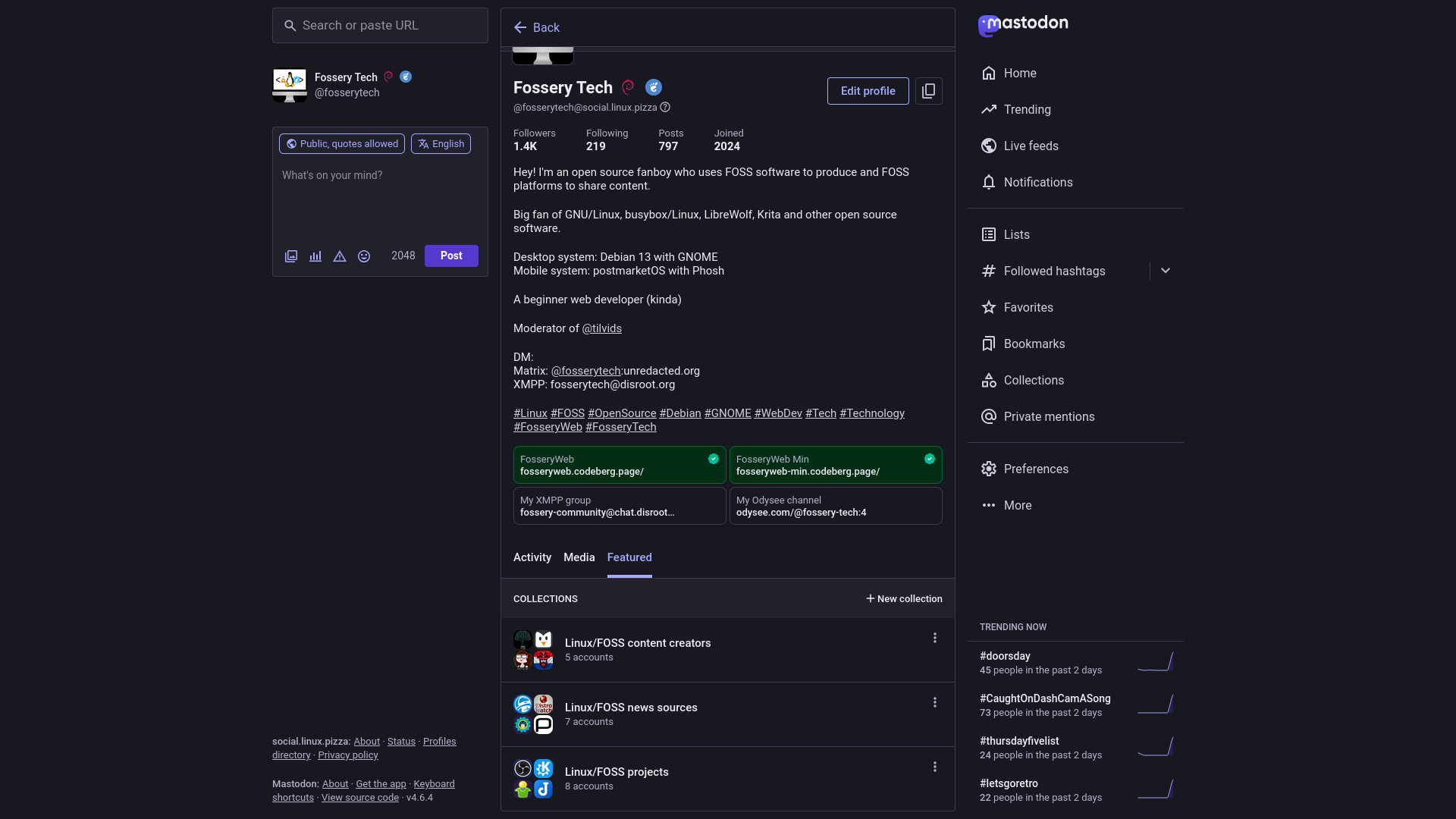
On your profile, people can see your profile picture, cover image (if you provide one), handle (something like @username@instance.name, e.g. @fosserytech@social.linux.pizza in my case), display name (your username in a more readable form), follower/following/post counts, join date, bio, up to 4 custom fields (often used for website and social links). Display name can also contain emojis, if you include something like :smile:, it will appear as a smiley face (😄). This also works with custom emojis, e.g. :debian: will appear as a Debian logo, if your account is on social.linux.pizza or mstdn.social which have that custom emoji available (when people view your profile from instances which don't have that emoji, they can still see that emoji in your display name, just aren't able to use it in their own display name). In your bio, you typically provice a short introduction, like on other social media platform. Here you can also tag other users using their handle (although only the username part is visible, if the tagged user is from another instance, you need to provide the full handle including the instance name too, when you edit your bio). You can also add hashtags to your bio, just like to your posts, to boost discoverability. In custom fields, you can link your other social accounts, and your website if you have one. You can also verify the link(s) to your website(s) (like I did for FosseryWeb and FosseryWeb Min), using the instructions under Preferences (right menu) > Public profile > Verification. Here you also find instruction for adding author credit which is a link to your profile appearing in the link preview when someone shares your blog post or news article on Mastodon (tbh, I discovered this option right now, when I'm writing this article, so I'm yet to add the necessary HTML meta tag to my sites 😄).
There are also 3 tabs. Activity is where your posts (plus boosts and replies) and the featured hashtags appear. Featured hastags can be clicked to view all your posts where you added that specific hashtag. You can add up to 10 of these in the profile settings. There's also an option to pin posts to the top of the Activity tab.
Media lists all media files you attached to your posts.
Featured is a new thing, it might not be available on all instances yet, but here you can create collections in which you recommend other profiles (you can only recommend profiles for which inclusion in collections is enabled by their owner, it's disabled by default, seems like most people I wanted to add didn't have it enabled yet). You can also access your collections (and the collections you're featured in) from the right menu.
Tips for organizing your profile:
- If you'd like to write a detailed introduction, which doesn't fit into the character limit of the bio (500, like for posts), write separate introduction posts, number the posts like I showed you in the posting tips, pin the first post.
- Include hashtags in your bio, which reflect your interests, favorite software, or what your project stands for etc., this way more people can find your profile.
- Go to Preferences (right menu) > Privacy and reach, and check all boxes there, to make your profile easier to find (don't do this if you don't want others to follow you, outside a few friends!)
3.1.1.4 Automated post deletion
In Preferences, you can also find an Automated post deletion option, where you can set posts for deletion based on various criteria (e.g. posts older than a specified time period, have less than a specified number of stars or boosts, are pinned, DMs, etc.). It can serve as a privacy feature, e.g. if you say something that might be controversial, and cause you some trouble later on (e.g. due to new laws in your country), but you forgot that you made that post earlier, you don't need to worry that much, if you have automated deletion enabled, it's most likely already deleted (or at least isn't visible publicly, although it's worth to note that the admins of the instance you use and other instances where users viewed your profile and posts, thus your profile and posts got synchronized there, might be able to recover the data). But other than that, you can also help your instance admin to lower server costs by reducing the amount of data which needs to be stored.
3.1.2 Choosing an instance
Now, it might seem tempting to just join mastodon.social, the official Mastodon instance, but there are some reasons why it isn't a good idea (e.g. it being by far the largest instance defeats the decentralized nature of Mastodon and the overall Fediverse, the company behind Mastodon having full control, easy to buy out by big corporations, etc.).
You can find instances (or servers, as they are called by Mastodon) on the official Mastodon website (joinmastodon.org) (not to be confused with mastodon.social). Here you can filter instances by topic (tech, gaming, sport, etc.), language, sign-up process (whether anyone can register, or the admin needs to approve registration requests), who operates the instance (an organization or a single person). Another great source is Fedi.Garden which includes a more curated list of instances which meet certain criteria (e.g. block Threads, have less than 50k users, have certain level of moderation in place, multiple people with admin rights, etc.), here you can also find a list of instances having a character limit (post size) larger than the common 500.
If you're new to the Fediverse, it can be quite overwhelming to decide which instance you should join, but there are actually a few things you can consider when making the decision, in addition to the filtering options on the Mastodon website and Fedi.Garden. On the web interface of each instance, you can find two About links on the bottom of the screen, one for the instance, and one for Mastodon itself. The instance's About page includes quite a few useful info. You can see who the admin is, who the instance is for, what rules you need to follow, and which instances are blocked (under Moderated servers, if the admin made the blocklist public).
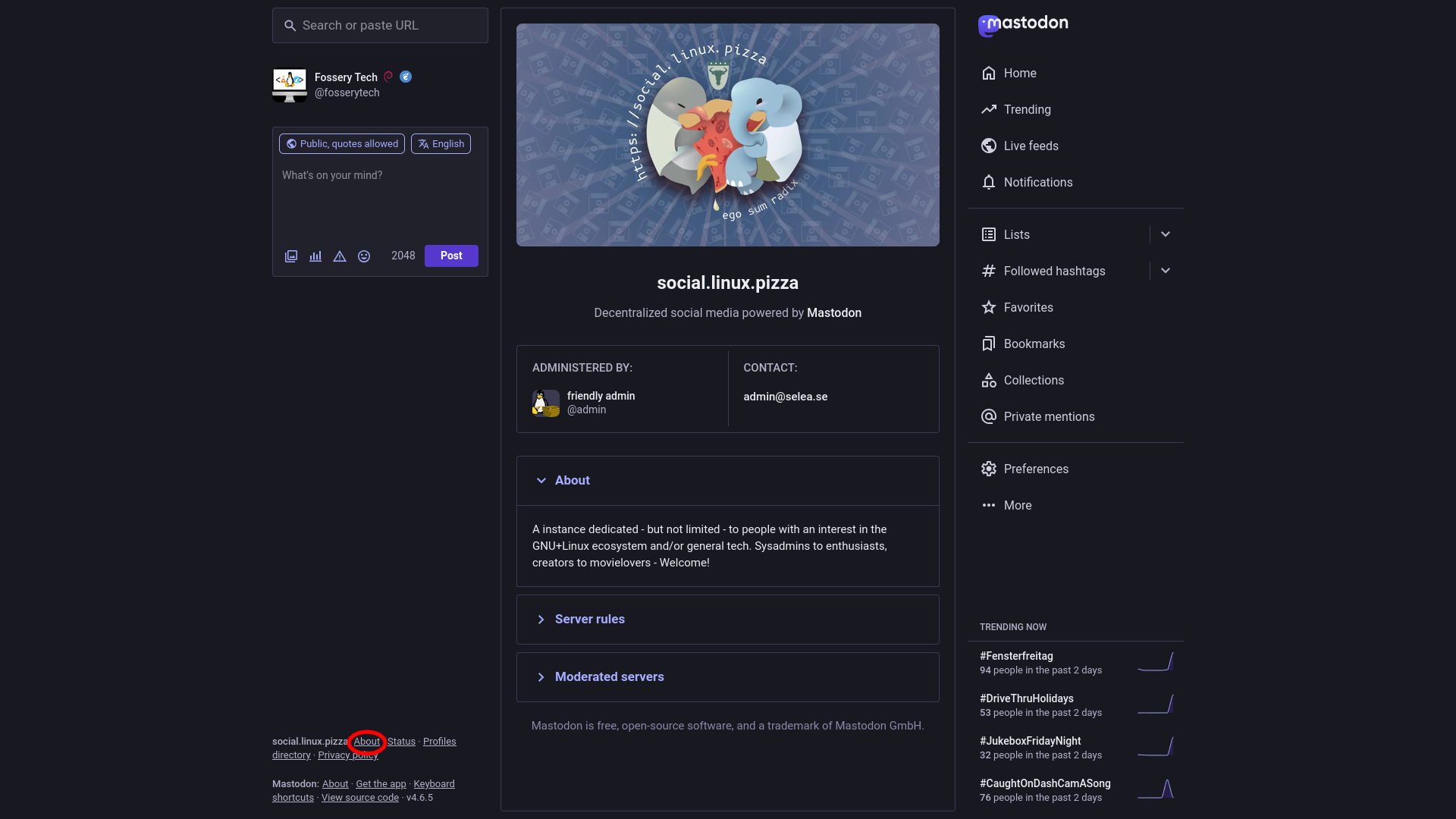
Yes, admins often block certain instances which have rules they don't agree with, or are used by people with controversial views. It's kind of an anti free speech thing in my opinion, but I mean, the admin owns the instance, can do anything with it. It can be a positive thing though sometimes, e.g. when blocking Threads (more on this later). There are two types of blocking: "Limited" and "Suspended". Limited means that you won't see the users of those instances unless you explicitly search for them, if someone from those instances wants to follow you, you need to approve it manually. Suspended means you can't even search for them, and they can't see you either.
You probably want to choose an instance where the admin made the blocklist public, and doesn't block many instances, or at least only limits them instead of suspension, to ensure that more people can interact with you. You may want to choose an instance which blocks Meta though.
Rules are also an important criteria. If the instance has some rules which you don't like, then it's a good indication that the instance isn't for you.
Another thing to look at is the Privacy policy.
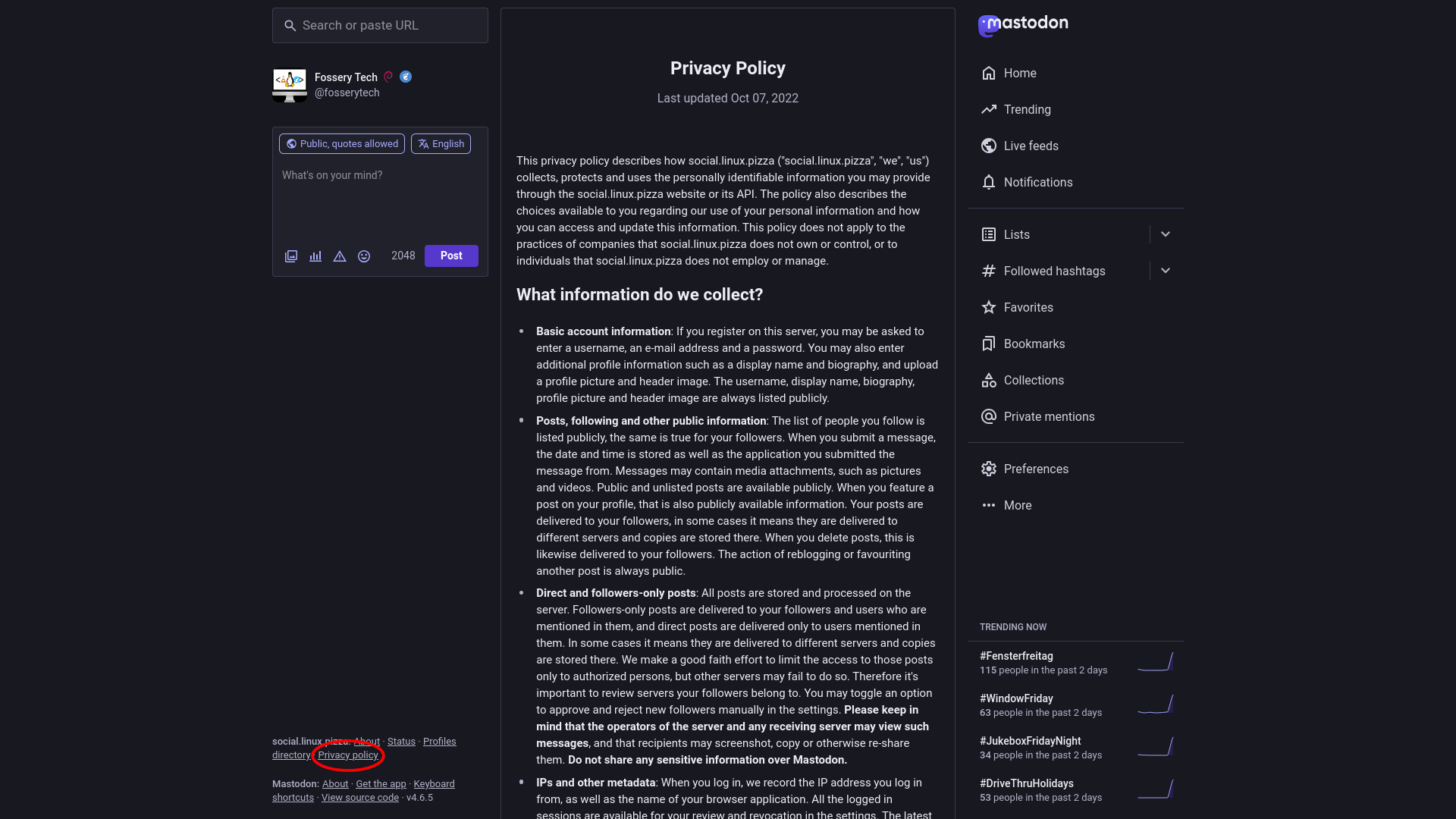
If you think that the instance collects too much data, isn't compatible with your threat model, then you want to look at other instances.
So overall, some important criteria to consider:
- Isn't mastodon.social (to support decentralization, the main point of the Fediverse)
- Its Privacy Policy is compatible with your threat model
- Has rules you can easily follow, don't make you feel limited
- Its blocklist is made public, doesn't suspend too many other instances
- Blocks Threads (to prevent Meta from taking control over the Fediverse)
- +1: Has character limit higher than 500 (e.g. if you like to express yourself in a longer form)
3.1.2.1 Migrating to another Mastodon instance
Now, it can happen that you realize the Mastodon instance you registered to isn't the best fit for you (e.g. you have some disagreement with the admin), and you want to switch to another instance. Luckily, you can bring your data with you to the new instance, so you don't lose much. To do so, first you can go to Preferences > Import and export > Export, and export follows, lists, bookmarks, etc. one-by-one in your current instance (unfortunately the Request your archive option isn't good for this, because it can't be imported). Then, in your new instance, you can go to Preferences > Import and export > Import, and import everything you exported from your current instance.
You might also want to set a profile redirect, which basically means that if people go to your old profile, they will see a link to your new profile on top, and the followers of your old account will automatically unfollow you there and follow your new account (now, latter is far from perfect in my experience, when I moved from mstdn.social to social.linux.pizza, only around two third of my followers were "migrated", but I mean it's still pretty neat that I didn't have to start over from zero). To set a profile redirect, you can go to Preferences > Account > Account settings > Move to a different account and Moving from a different account, on both your current and new instance, follow the instructions there.
3.1.3 Mastodon apps
In the previous sections, I showed you the web interface which you can access by entering the instance's domain to your browser, but you might want to use Mastodon on phone, or just want a different UI. You have quite a few options to choose from. There are the official Mastodon mobile apps for Android and iOS, and 3rd-party mobile/desktop/web apps:
Android: Tusky, Husky (fork of Tusky), Fedilab, Moshidon, Tokodon, etc.
iOS: Ice Cubes, Tusker, Bubble
Desktop (Windows/Mac/Linux): Tuba (Windows, Linux/GNOME), Whalebird, Sengi, Tokodon (Linux/KDE), Fedistar, Tut (terminal-based, also available for all BSDs!, a bit outdated though)
Web (can be self-hosted too): Sengi, Phanpy, Elk.zone, Mammudeck, Tooty
You can browse a full list of apps here (note that there are also some proprietary apps, only the ones indicated as "Open" are FOSS!).
Note that all these apps provide varying level of privacy, so you may want to read their Privacy Policies (if available) before using them. Also, some apps may miss some features I showed you in the Features section.
3.2 PeerTube
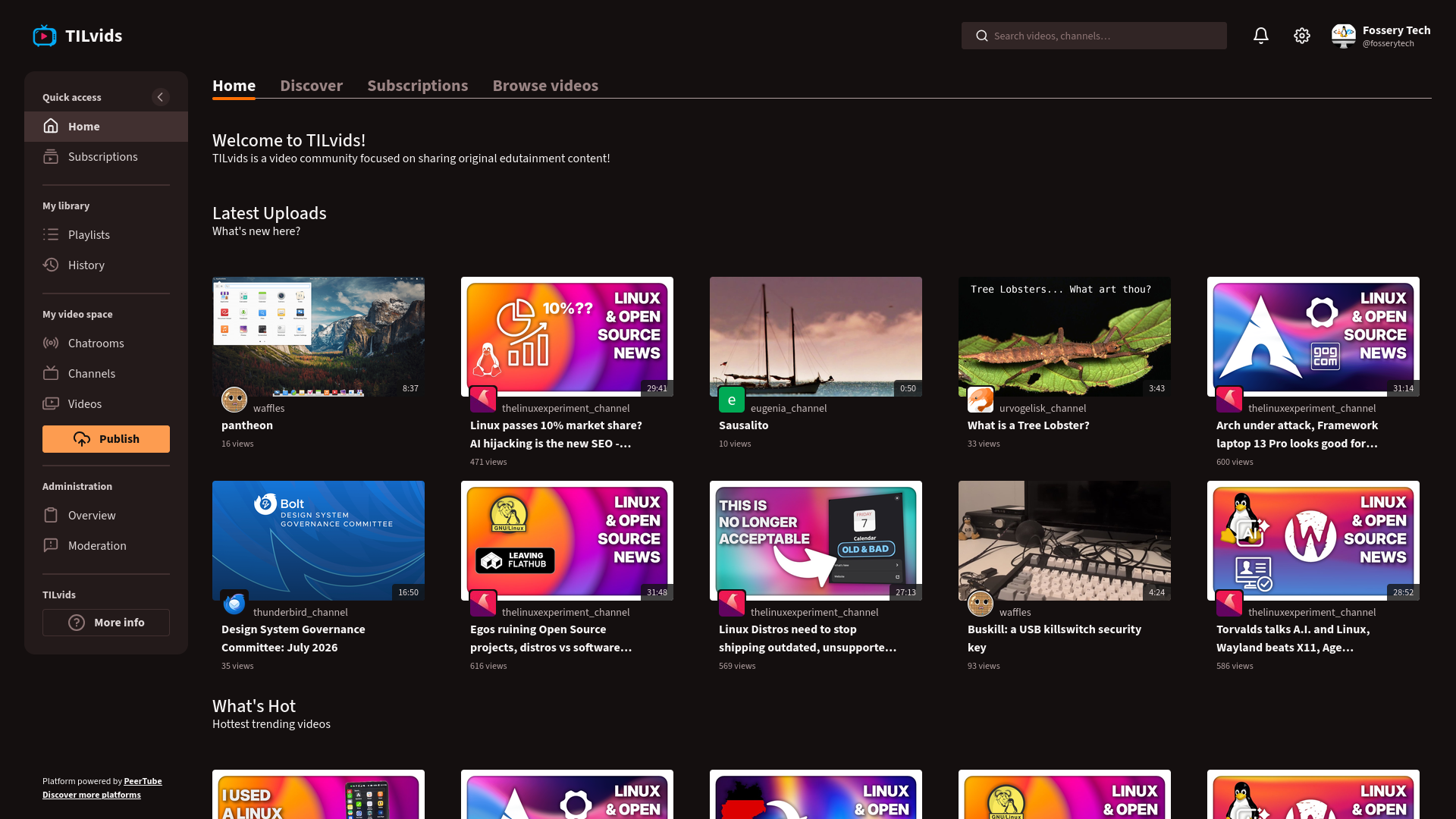
Got fed up with YouTube ads, random banning of content creators, algorithmic nonsense, privacy violations? PeerTube has you covered. You may not find all your favorite content creators there, but there are all types of content on the platform, so you'll likely find some interesting stuff. If you're a creator yourself, you can also reach quite many people, since PeerTube is part of the Fediverse, users of some larger platforms like Mastodon can also interact with your content.
In addition to being decentralized, PeerTube is also peer-to-peer, meaning that when you watch a video, you basically help the video load faster for others by sharing video data (you're basically torrenting the video), this is also beneficial for instance admins, because it reduced server load, thus also the costs of maintaining the server. There are some minor privacy implications, but you can disable peer-to-peer sharing in the settings if you're concerned (although only the IP address is exposed, which all websites can see anyways, so you should use a VPN or Tor if you aren't ok with that).
3.2.1 Features
3.2.1.1 Discovering content
When you go to the Home page of a PeerTube instance (or platform, as PeerTube calls it, I'll just call it instance, to avoid confusion), you can see various sections, which can be customized by the instance admin, so they are different on each instance, but are usually the latest videos uploaded to the instance, popular videos, featured channels, and things like that.
On the Discover page, you can find random categories and channels. Subscriptions is obviously where the videos from your subscribed channels appear. Browse videos is where you can find all videos uploaded to the instance, and other instances to which the instance is subscribed to; filter videos by category, language, content type (video or live).
Wait, subscribing to an instance? Does that mean that I can get notifications if a video is uploaded to another instance?
Not quite. You can't sub to another instance, unless you're the admin of the instance. When an instance is subbed to another one, it basically means that the videos uploaded to the subbed instances appear under Browse videos, and you can use the search feature to search for channels, videos and playlists on subbed instances too. E.g. TILvids is subbed to TinkerBetterTube, so you can find its content under Browse videos, and search for its channels, videos and playlists directly on TILvids (at least for now, although TinkerBetterTube will shut down soon).
Instance admins can also choose to sub to only a single profile or channel (we'll discuss the difference between the two in the next section) on another instance, which works in a similar way as subbing to the entire instance.
To search for channels, videos and playlists on all PeerTube instances, you can use SepiaSearch (named after PeerTube's mascot, Sepia, the cuttlefish).
3.2.1.2 Watching and interacting with content
The video player has similar options as on YouTube: you can adjust volume, quality and speed, jump to a specific chapter, toggle captions (if available), switch to theater or fullscreen mode (the default mode looks almost the same as the theater mode, but whatever lol), jump to next video.
Interactions are also similar to YouTube: like/dislike (dislike count is visible, unlike on YouTube!), share, save to Watch later or other playlists (which can be accessed from the sidebar), download video, comment, sub to channel (although the "bell" option is missing, you get notifications of new uploads by default), support the creator (donation links like Patreon, KoFi, etc., because PeerTube doesn't have a built-in monetization system).
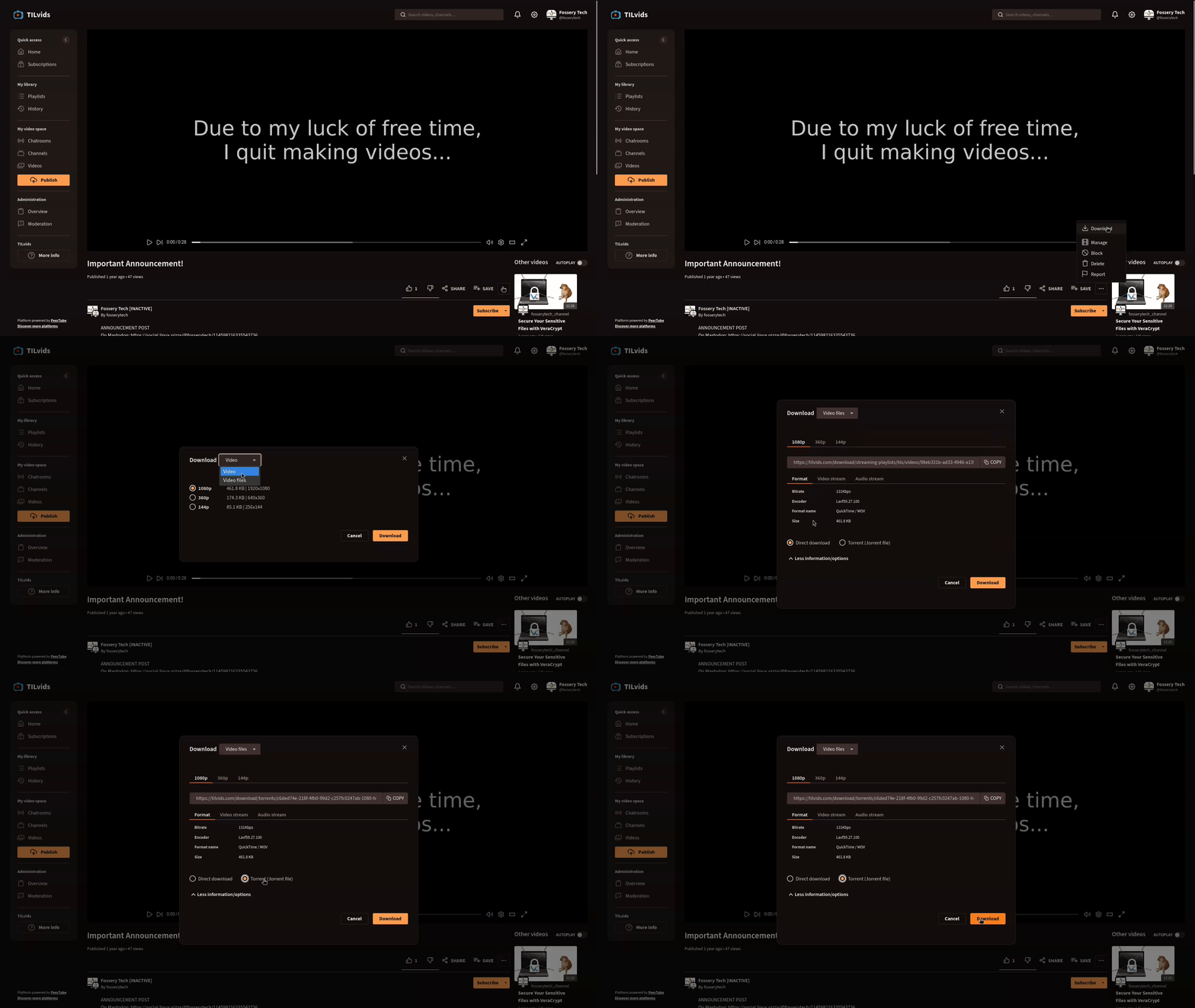
Now, the download feature is a bit different than YouTube's download feature, in a positive way. It's available for free, and you can actually download the video as a regular video file to your machine, unlike on YouTube, where you have to pay for Premium, and even then your downloaded videos are still tied to the YouTube app. Additionally, PeerTube's download feature also has a Torrent option, although it's a bit hidden (yeah, PeerTube lets you legally torrent videos, just like when you torrent an ISO of a Linux distro, cool, right?). You can click the three dots below the video player > Download > choose "Video files" instead of "Video" in the dropdown menu > More information/options > Torrent (.torrent file).
The sub feature, while missing the "bell" option, has an RSS sub option instead, in addition to the traditional sub, available in the dropdown menu of the Subscribe button. (There's also a "Podcast Feed" option, which also gives an RSS feed, not really sure what's the difference, both seems to do the same.)
But Mr. Fossery! Why is there something like "By xyz" under the channel name, and two profile pictures?
That's because on PeerTube, each user has a profile, under which multiple channels can be created (one channel is automatically created after registration).
Each profile has a Channels tab listing all channels of the creator, and a Videos tab listing all videos uploaded to all of those channels.
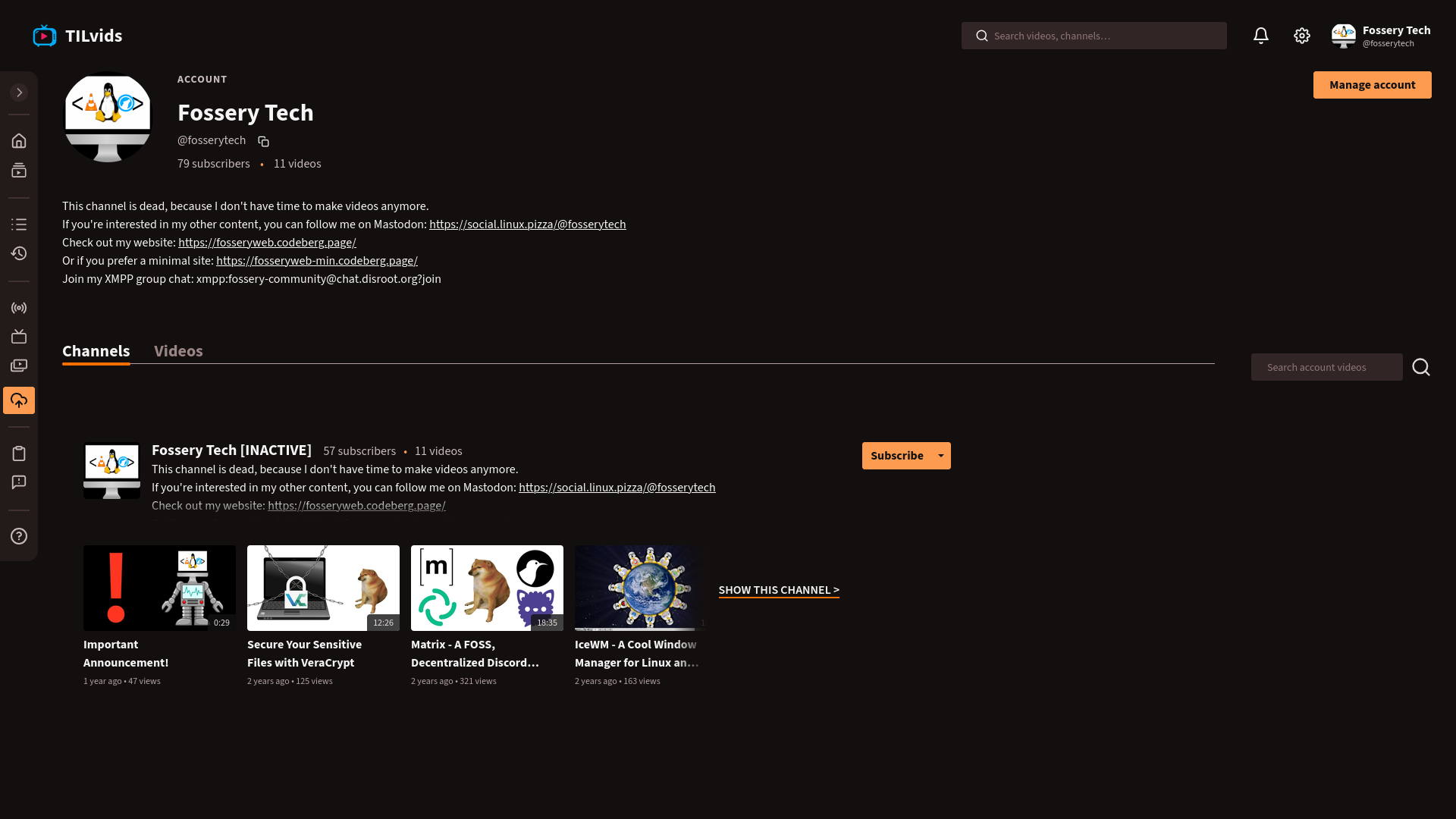
Each channel has a Videos tab listing all videos uploaded to that channel, and a Playlists tab. The channel owner's profile appears on the right side.
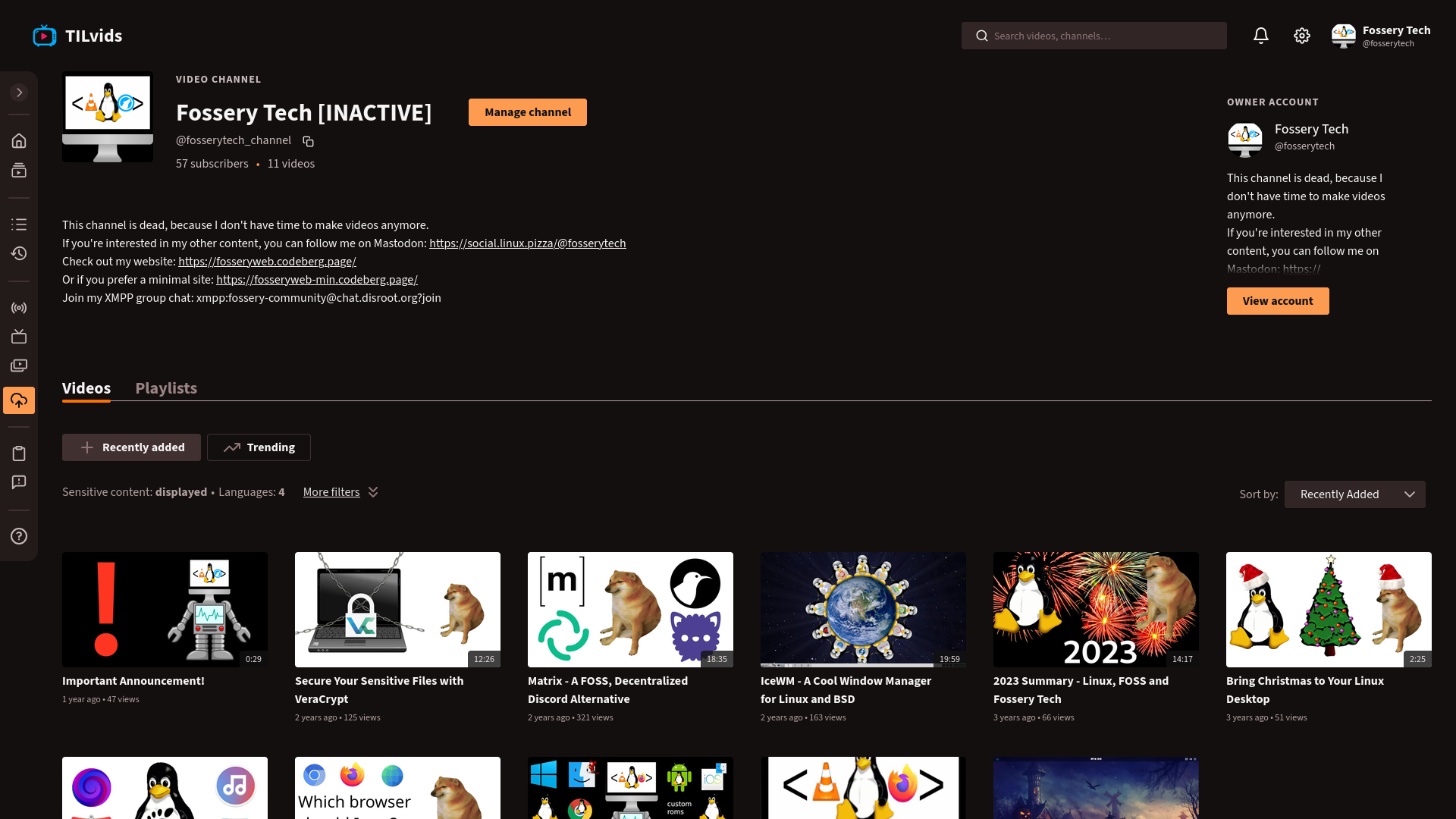
Both the profile and the channels have a display name, handle (similar to a Mastodon handle, follows the @username@instance.domain format) and bio. You can sub to the channel or also to the profile (aka. sub to all channels).
As I already mentioned, an instance can also sub to other instances, and the content of the subbed instances is searchable directly on the instance, but to search on the whole PeerTube network, a separate search engine, SepiaSearch can be used. When you find some content via SepiaSearch, you can go directly to the instance where the content is uploaded to watch it. But what about subscribing to the channel? Is it possible without creating an account on that instance? Well, yes and no... There's a "remote sub" option (only for channels, not profiles). If you click the Subscribe button when you aren't logged in, a "remote sub" option pops up, where you can provide the handle of your account you made on another instance (it can also be a Mastodon account!), then click "Remote subscribe". It redirects you to the instance where you have that account, then you can actually sub to the channel there.
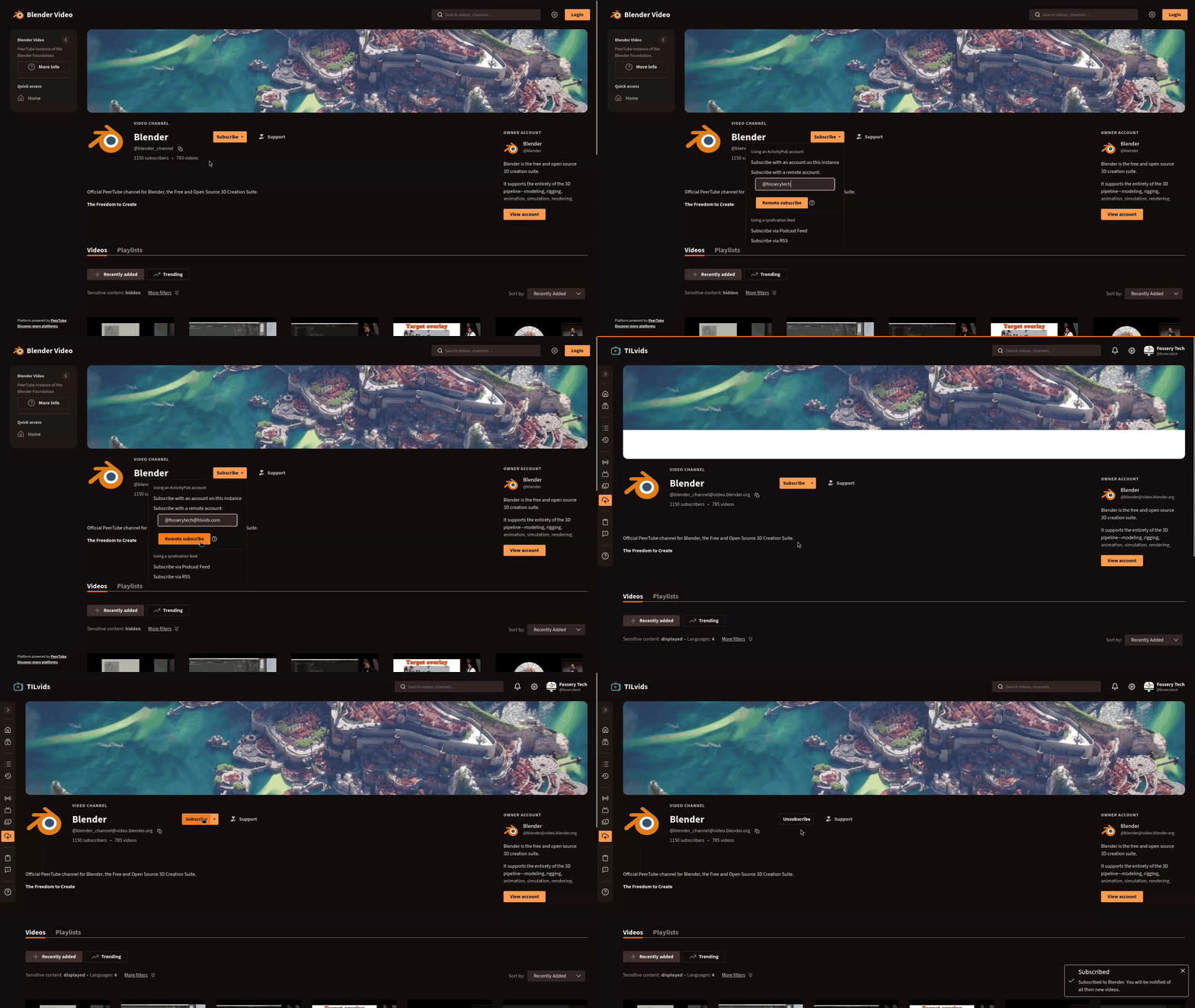
However, this option doesn't work in all cases, e.g. I tried to sub to some channels on the MakerTube and Kockatoo Tube instances with my TILvids account, and it didn't work (the message said I subbed to the channel, but when I went to Subscriptions > Manage, the channel wasn't there). When you do a remote sub, you should always check whether the sub was actually successful, because unfortunately there's no error message telling if it wasn't.
3.2.1.3 Uploading content
If you aren't a content creator, you can jump to section "3.2.2 Choosing an instance".
On the sidebar (or on the right side of the header, if your instance is using an older PeerTube version), you can find a highlighted Publish button. There you can upload a video, import a video from another instance or another platform (e.g. YouTube, Odysee, etc.), or start a live.
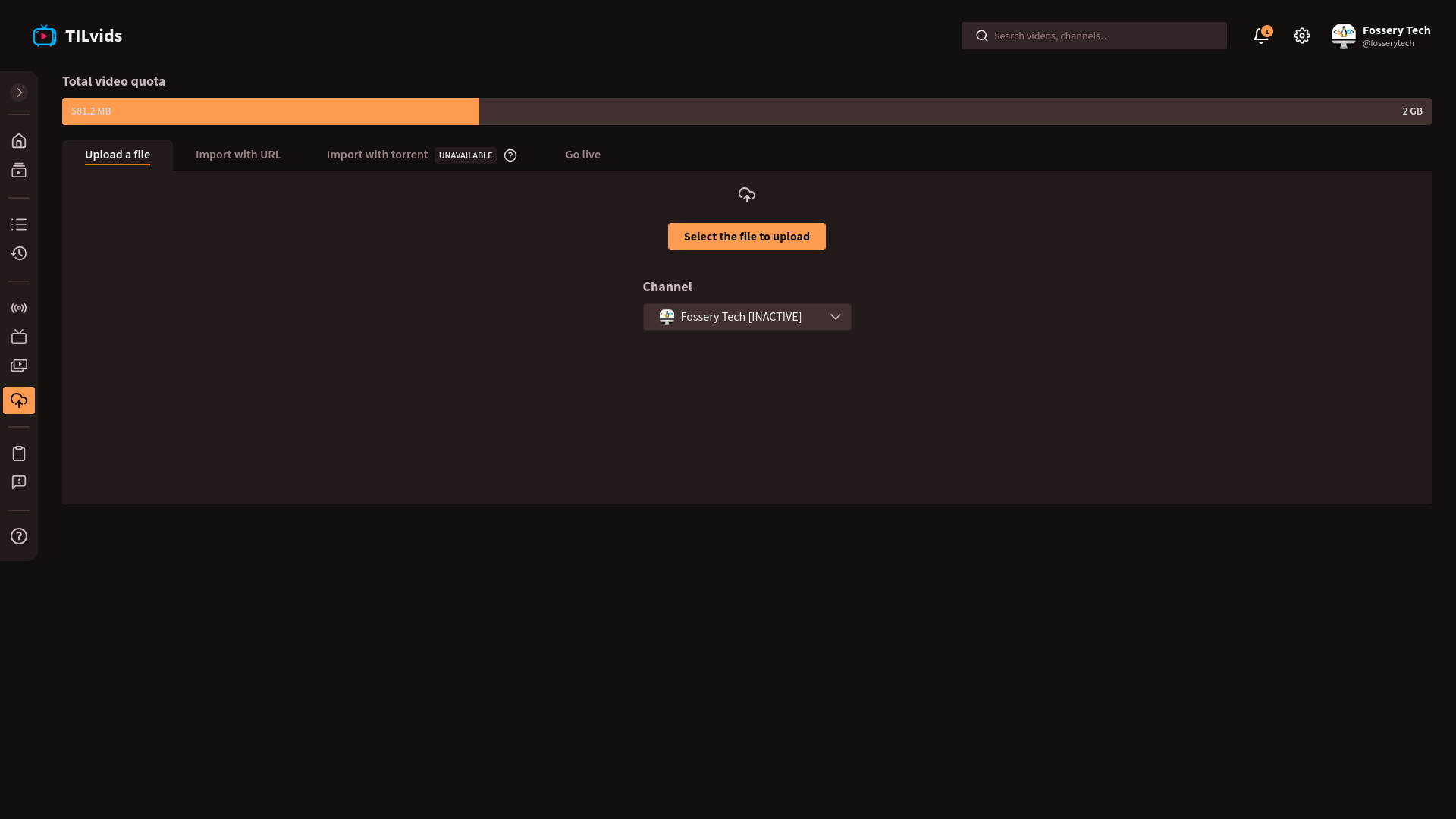
When you select a video to upload, you can actually select audio files too. In that case, the a video file will be generated from the thumbnail you provide and the audio file.
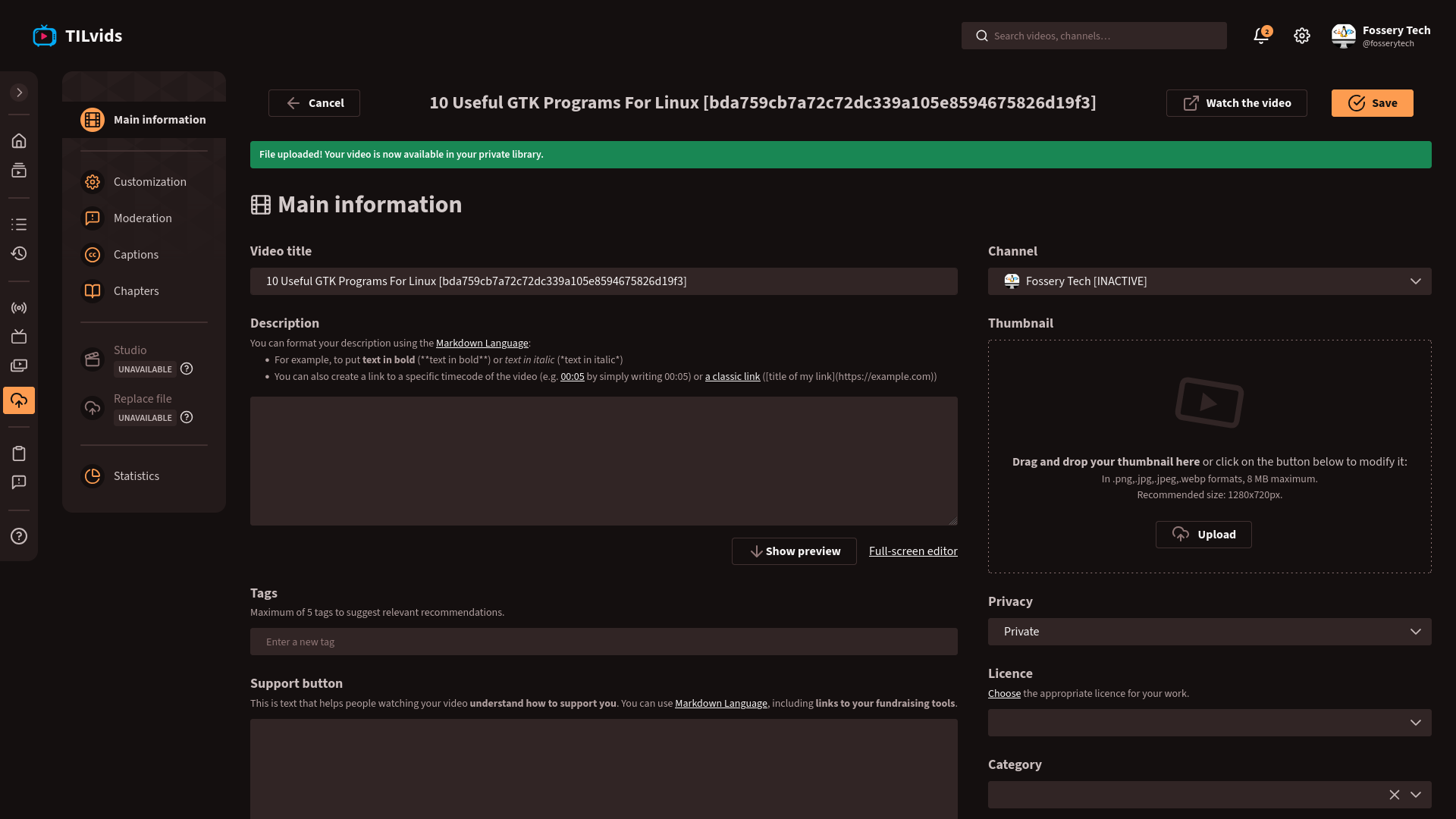
You can provide the usual information for the uploaded video: title, description (which can contain timestamps/chapters just like on YouTube), thumbnail, tags, privacy (visibility), license, category, language, plus you can choose which channel you want to upload the video to, and customize the text displayed to viewers when they click the Support button (here you can mention how can your viewers support you, provide donation links).
The privacy (visibility) setting has the usual Public, Unlisted, Private, Scheduled options, plus there's an Internal option, which means that only the users of your instance can see the video, and a Password protected option, which can only be viewed by people who know the password you set up. (The Password protected option may not be available on instances using older PeerTube version.) Note that most instances don't welcome non-public videos, due to limited server capacity!
On the left side, you can see a few more options. Customization is where you can customize the publication date displayed for you video, select which type of video player should play your video (the old one, or the new one available in the past few PeerTube versions), and toggle the download option. Under Moderation, you can set content as sensitive, toggle comments. Under Captions, you can add a caption file (.vtt or .srt). Under Chapters, you can provide chapters in the same way you would do in the description field under Main information. Under Studio, you can cut (crop) the video, add intro (another video file to the beginning of the video), watermark, etc. Under Replace file, you can basically swap the video/audio file you uploaded with another one, while keeping all other info you provided in the previous steps. Statistics is where you will see how your video performed, and some info about your viewers, once your video is uploaded and published.
Studio and Replace file options might not be available on all instances (e.g. TILvids).
You can access these same settings when editing one of your existing uploads (on the video page: three dots > Manage). You may want to go back there to check Statistics.
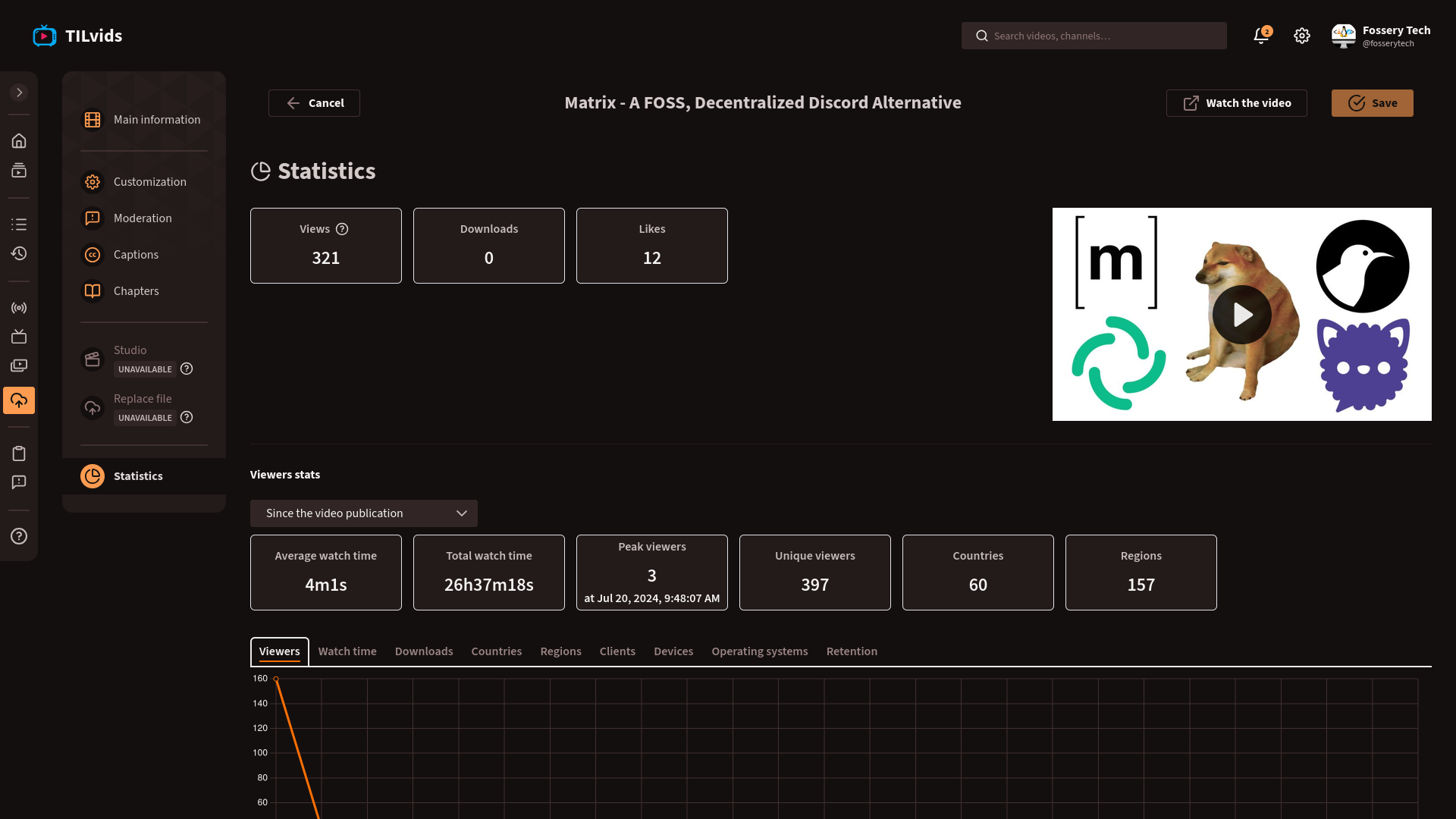
(Note that these stats are often inaccurate, e.g. client, device, OS is only detected in case of a really small portion of viewers (~4-5 out of 300-400 viewers), since PeerTube doesn't have as privacy-invasive tracking mechanism as YouTube.)
You can organize your videos into playlists under Playlists (on sidebar).
As I mentioned, you can also start a live stream if you go to Publish on the sidebar. However, live chat settings are available under Chatrooms. Here you can set "terms & conditions" displayed for your viewers when they join, allow/block users without an account, slow mode (allow message every x seconds), delay messages of non-moderator viewers (so they can be checked by mods before others can see them), anonymize mod actions, enable moderation bot, add custom emojis, enable emoji-only mode (talking only with emojis? that sounds fun lol 👉🧪🔫🐙).
3.2.1.4 Managing your channel(s)
You can see a list of all your channels under Channels (on sidebar).
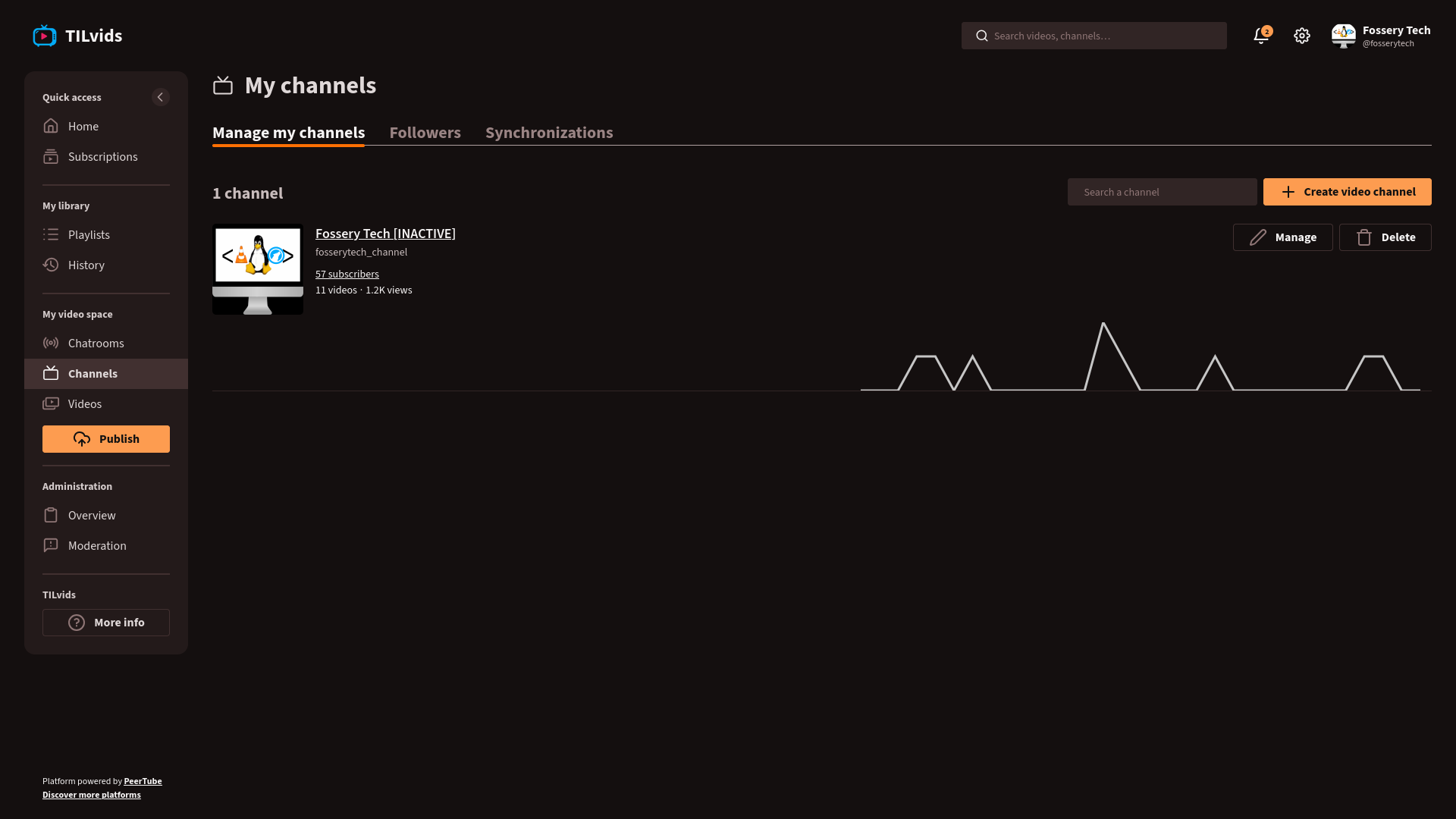
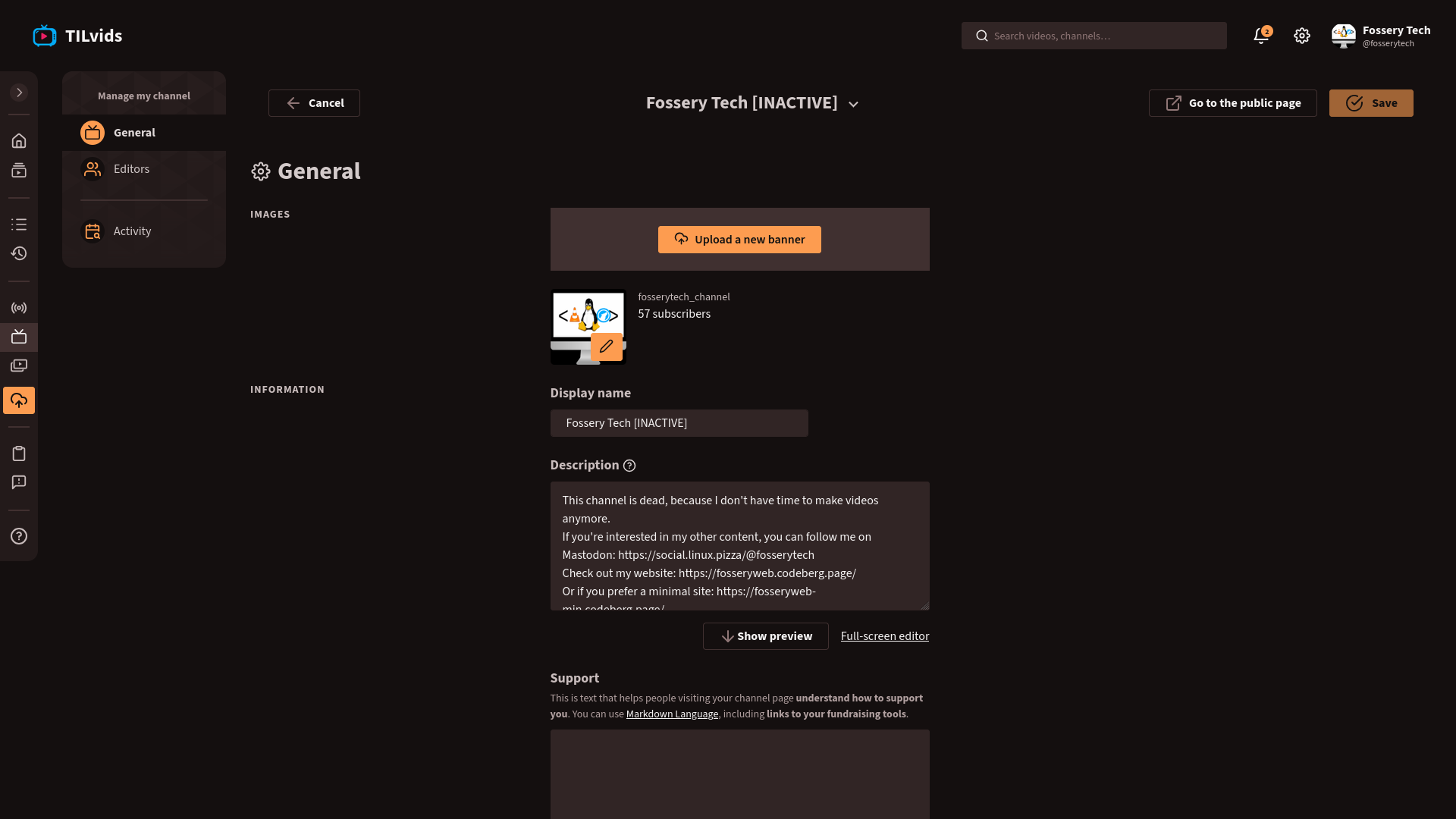
You can edit the settings of each channel, including profile picture, banner, display name, description, support text, player theme (latter two we already saw on the video upload page, but here you can set them for all videos). You can also transfer ownership of the channel (i.e. give the channel to another user), or delete the channel. In newer PeerTube versions, there's also an option to add editors to your channel (by providing their account handle), who can manage your channel (except they can't delete the channel, or manage other editors).
If you have a channel on another PeerTube instance, or another platform (YouTube, Odysee, etc.), you can set up synchronization under Channels > Synchronizations. When adding a new synchronization, you can provide the URL of the remote channel you wish to sync (on another instance, YouTube, Odysee, etc.), choose the channel to sync to, and choose whether you want to import already uploaded videos, or only the videos you will upload to the remote channel in the future.
Now, it's important to note that many PeerTube instances limit the amount of data you can upload (video quota), since most of them are operated by individuals or smaller organizations with limited resources. This quota applies to all your channels collectively, so e.g. if you have 2GB quota, you can upload 2GB of videos in total, regardless of how many channels you have (now, some instances apply some compression to the uploaded video, so the uploaded video might be smaller than the video file you uploaded). You can check how much storage (quota) you have left by going to "My account" (gear icon on the top right).
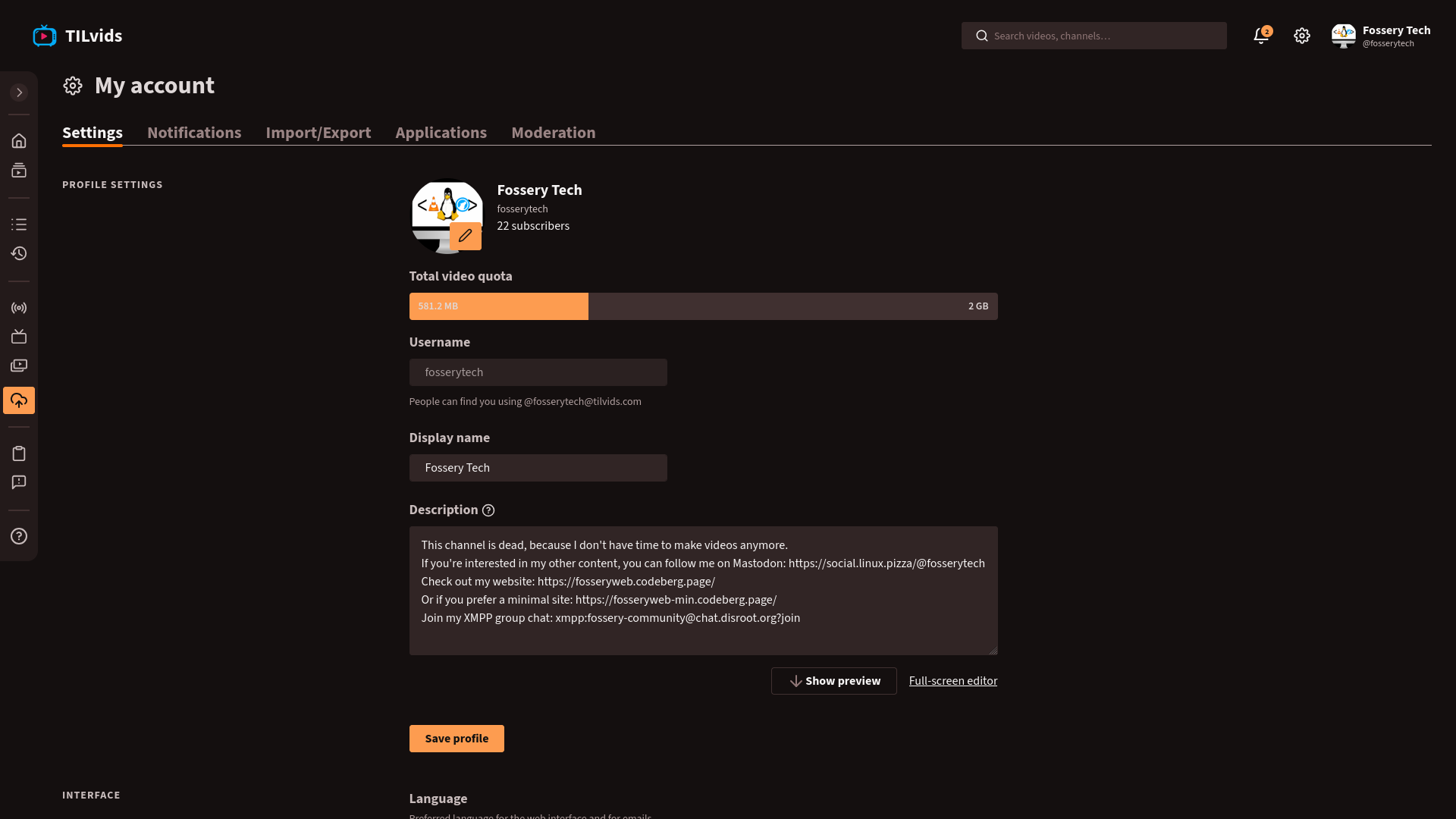
3.2.2 Choosing an instance
Unlike Mastodon, PeerTube doesn't have an "official" instance anyone can register to (there's an instance Framatube, but that's only for FramaSoft's own videos (product showcases and other stuff), registration is disabled), and it's actually a good thing, because it makes PeerTube much more decentralized than Mastodon, since there's no nobrainer option everyone goes to, plus there isn't too much power in FramaSoft's hands.
You can search for instances on the official PeerTube website (joinpeertube.org). Here you can filter instances (or platforms, as they are called by PeerTube) based on whether you're a viewer or a content creator (plus if latter, do you also do live streams), the topic(s) you're interested in (tech, art, gaming, etc.), should sensitive videos be hidden or blurred by default, language (by default, English is the only option, but you can change the language on the header of the page, then you might be able to filter instances for your own language, unless you speak a rare language like Hungarian lol). For each result, you can see the instance's name, domain, description, language(s), topic(s), sensitive content policy. If you chose the Viewer filter, you can also see subscriptions (how many other instances the instance is subbed to) and the number of videos uploaded to it. If you chose the Video maker filter, you can see the video quota, how much time it takes to approve a new registration request (on many instances, mods need to approve new registrations manually, mainly to fight bot (and recently AI agent) attacks), followers (how many other instances are subbed to the instance, it matters quite a lot for content visibility), and if permission to upload videos is also given manually by mods, that's also indicated here as "Video publication after moderation".
There's another page on the PeerTube website, where you can see a table of all instances. Here you can't filter instances, but order them by clicking on a column of the table. You can see info about each instance, like the PeerTube version used, subscribers (followers), subcriptions (following), local videos (number of videos uploaded), total videos (number of videos uploaded to the instance, plus all instances it's subbed to), number of users, whether signup and livestreaming is allowed, country where the server is located, health (you can hover over each to see uptime percentage).
Now, this might seem like a lot of info about every instance, but actually, you don't need to consider everything. The most important criteria are whether it allows you to register, the topic(s) of the instance (since as I already mentioned, the remote sub feature doesn't always work reliably, so you want to choose an instance which matches your interest the most, e.g. if you're a tech nerd, you want to choose a tech themed instance, if you're a musician, you want to go with a music themed one), rules of the instance, and if you're a creator, the amount of quota offered. Let's see a few popular instances (with registration enabled).
TILvids is an instance for edutainment (aka. educational-entertainment content, with main emphasis on educational). The instance's purpose is that people can say "Today I learned", enjoy the process of learning something new. Videos on the instance can be scientific stuff, everyday tech stuff, or basically anything else which can be considered educational (political bias doesn't matter either, both "wings" can equally express their opinion!), plus original, human-made (usage of TTS in videos is ok, but fully AI slop videos aren't allowed). Both registration and upload requests are approved manually by mods (many of them by me, since I'm one of the volunteer mods 😉). Registration approval is mainly to fight bots and AI agents, basically every request made by a human being (determined based on the registration reason provided) who would like to consume content or upload videos which fit the category I described will get accepted (we don't require you to write a detailed reason, it can be as simple as "sub to some channels"). Same applies for upload permission, except you also need to prove that your content is a good fit for TILvids' theme, by joining our official Matrix room, and sharing a link to your existing channel on another instance or platform (optionally, you can link your channel directly in your registration request's reason field, without joining the Matrix room), or if you don't have a channel yet elsewhere, you can also send a video file to the chat. If your content is a good fit, you can get 1 or 2GB initial video quota, with the option to ask for more (up to 10GB) if you need more storage (sometimes we make exceptions with larger creators who have a lot of subs, large audience elsewhere, e.g. on YouTube, give more than 10GB quota to them). Live streaming is also allowed, if the stream has educational value, just like the videos. Channel sync is also enabled, so you can sync your videos from another PeerTube instance, YouTube, Odysee, etc., as long as you fit into your quota. However, when uploading a video, some features (e.g. Studio and Replace file) aren't available currently. Due to limited server capacity, the site can be a bit slow sometimes, but if it doesn't bother you, it can be a good choice to find some useful educational content which are interesting to watch.
If TILvids' limited amount of quota isn't enough for you, you can take a look at similar instances like TubEdu and videos.trom.tf, which are also for educational content, give unlimited quota. However, note that they censor all political, religious, NSFW comments/opinions, and don't allow channel sync, only manual video import (from the video upload page I showed earlier) is allowed.
If you're a creator making Linux (excuse me, GNU/Linux) and FOSS themed videos, you might also want to look at GNU/Linux Tube (gnutube), which can give you 100GB initial quota, but you can ask for more later, just like on TILvids. Note that here you can't express hatred towards any groups of society, and you can't link to and promote any proprietary service/software (latter is basically what's my own rule is for my own posts lol), and to register, you need to link to some of your work in the FOSS community (website, public social media profile, channel, volunteer work, etc.) in the registration reason. Channel sync is disabled.
Not interested in educational stuff? That's ok, there's also HardLimit (by the same team as TubEdu), an instance for original tech and gaming related content (most content seems to be gaming related). If you're a tech creator or gamer, it might be a pretty good place for you to start, as it gives unlimited quota, but note that similar to TubEdu, political, religious, NSFW comments/opinions aren't allowed, so you want to avoid saying anything like that, plus the language of your videos has to be English or Spanish (for moderation purposes). You can do live streams as long as you follow the rules. However, channel sync is disabled.
There's also an instance called MakerTube for tinkerers and artists who'd like to share, talk about their creations. You can find various types of content here, including music, animations, tech videos, and some unique DIY stuff. For creators, it enables live streaming and channels sync, offers 2GB quota for free, you can pay a monthly subscription fee to extend your quota up to 1TB. (Not sure what happens if you stop paying, they don't say much about that.) Rules are a bit less strict compared to HardLimit, but they don't allow right wing political stuff and automated accounts.
Overall, the criteria to consider when choosing an instance:
- registration allowed
- topic maches your interest
- you don't feel too limited by the rules (found under sidebar > More info > Platform > General or Moderation and code of conduct), can easily adhere to them
- Privacy Policy is compatible with your threat model (not all instances have a Privacy Policy unfortunately, but those which do usually have it in the same place as rules)
- plus if you're a creator: the instance gives you enough quota to upload your content, enables channel sync and live streaming if you need those, allows content in your language (if your videos aren't in English)
3.2.3 PeerTube apps
You can access every PeerTube instance via its web interface (e.g. tilvids.com for TILvids), but you can also use the official PeerTube Android and iOS apps (which let you sub to channels without logging in with any account, just like some YouTube apps like NewPipe and FreeTube, but also let you log in to your account on any instance), and also some 3rd party apps:
Android: P2Play, Fedilab, NewPipe (no login option, search feature doesn't seem to find channels)
Linux: Pipeline (GNOME), Cuttlefish (GNOME, Flatpak and Nix packages under sidebar > Build > Artifacts), PlasmaTube (KDE), NewPipe unofficial (has same limitations as Android version), peertube-viewer-rs (CLI)
Note that all these apps provide varying level of privacy, so you may want to read their Privacy Policies (if available) before using them. Also, some apps may miss some features I showed you in the Features section.
3.3 Other Fediverse platforms
Besides Mastodon and PeerTube, there are a ton of other platforms you can choose from.
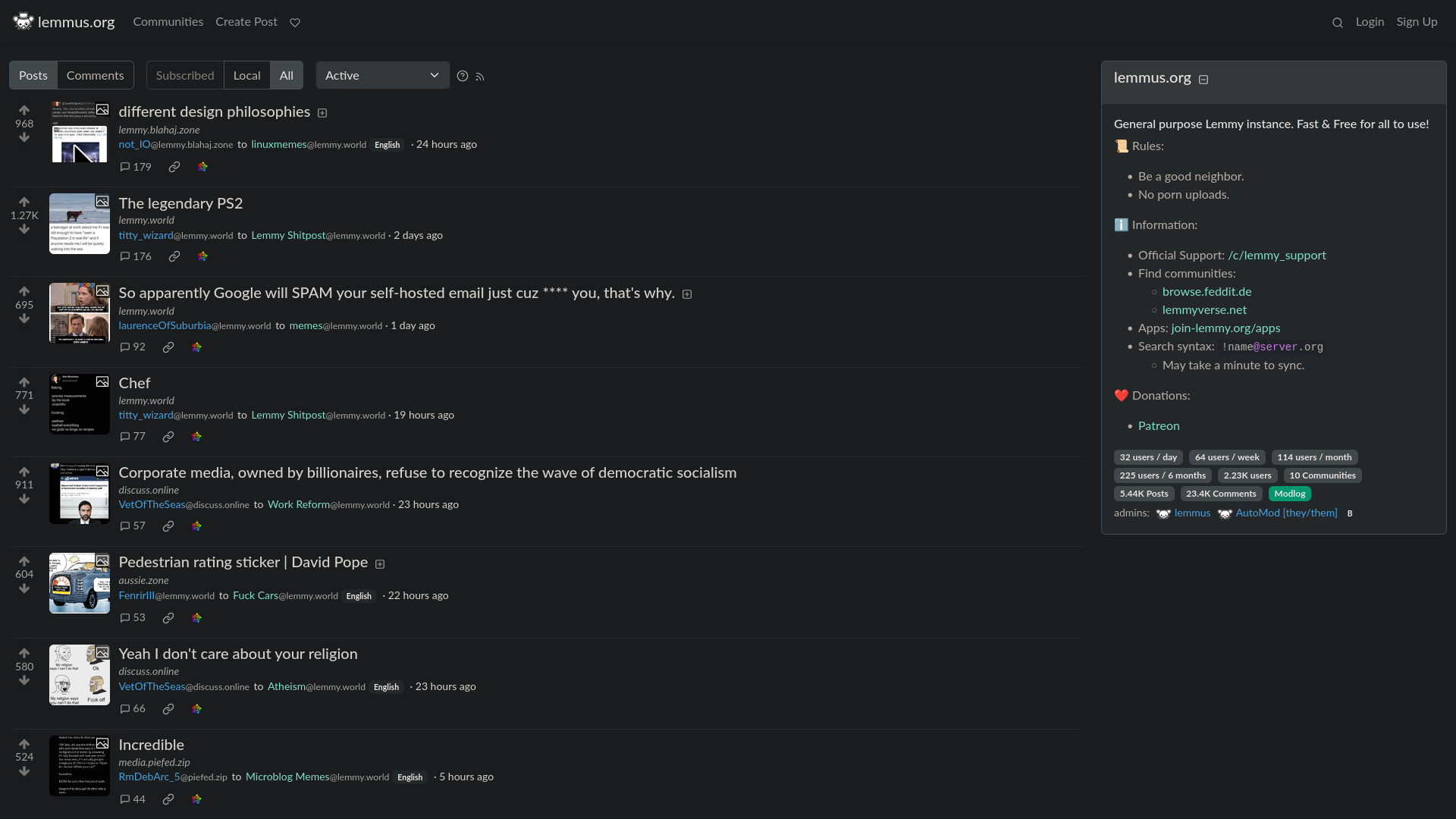
If you're looking for a Reddit alternative, you can take a look at Lemmy. It has communities which are basically the Lemmy equivalents of subreddits. There can be multiple communities on each Lemmy instance (server). You can follow communities to get notifications about the latest posts (each community can be followed from every instance, plus from other Fediverse platforms like Mastodon, where a Lemmy community appears as a profile, which "boosts" the Lemmy users' posts). For answers under posts, it shows both the number of upvotes and downvotes separately, as Reddit's old UI used to show. It also has RSS support for communities, user profiles, inbox, etc.
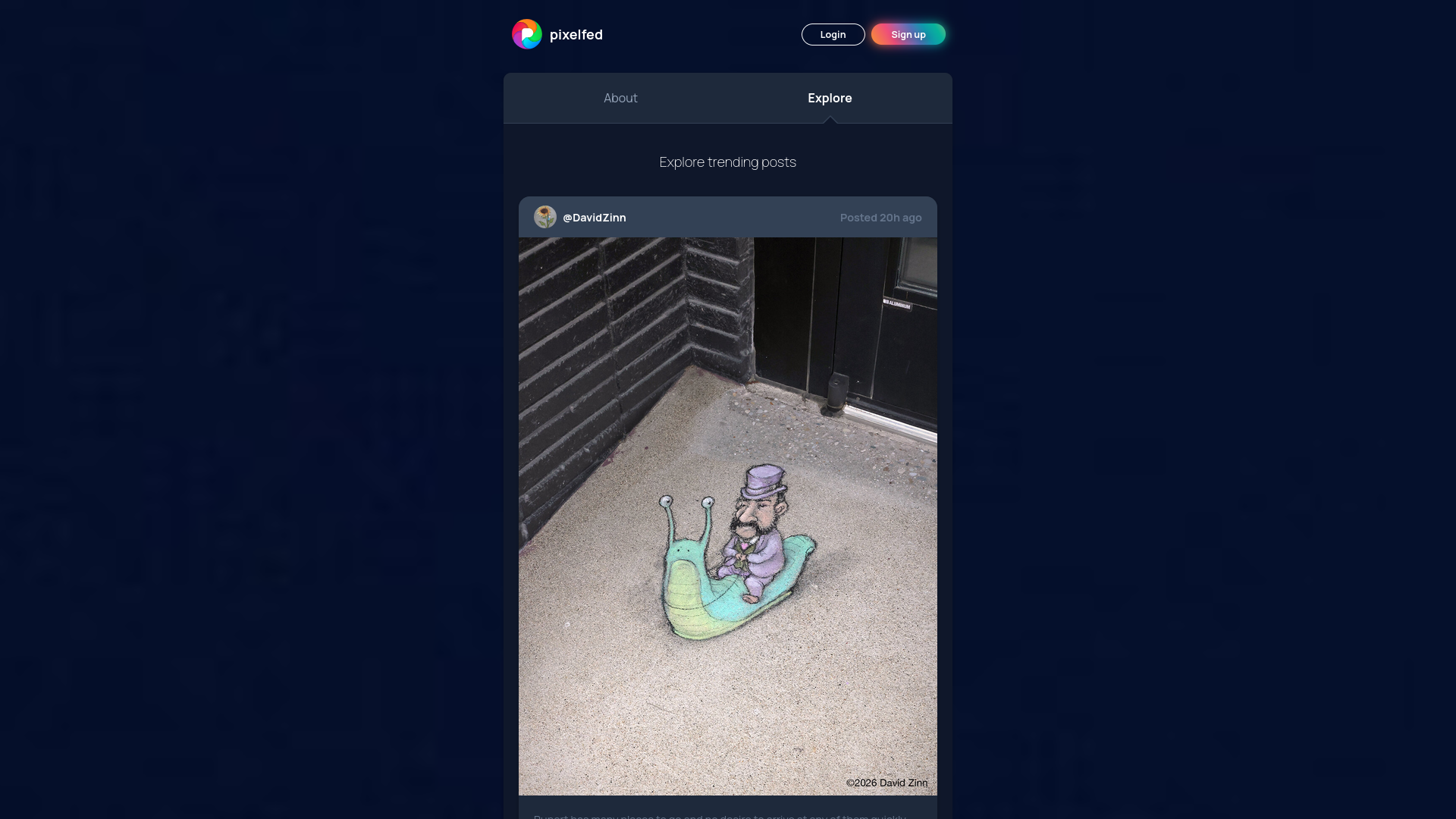
There's also an Instagram alternative Pixelfed. It allows you to share one or multiple photos in a post, add filters to images, share stories, send DMs. You can access content of other Fediverse platforms too, but by default, only the posts containing image attachment are visible. In newer versions, you can enable text-only posts in the settings. Similar to Mastodon, Pixelfed also has an official instance (pixelfed.social) which is by far the largest, you want to avoid that to support decentralization.
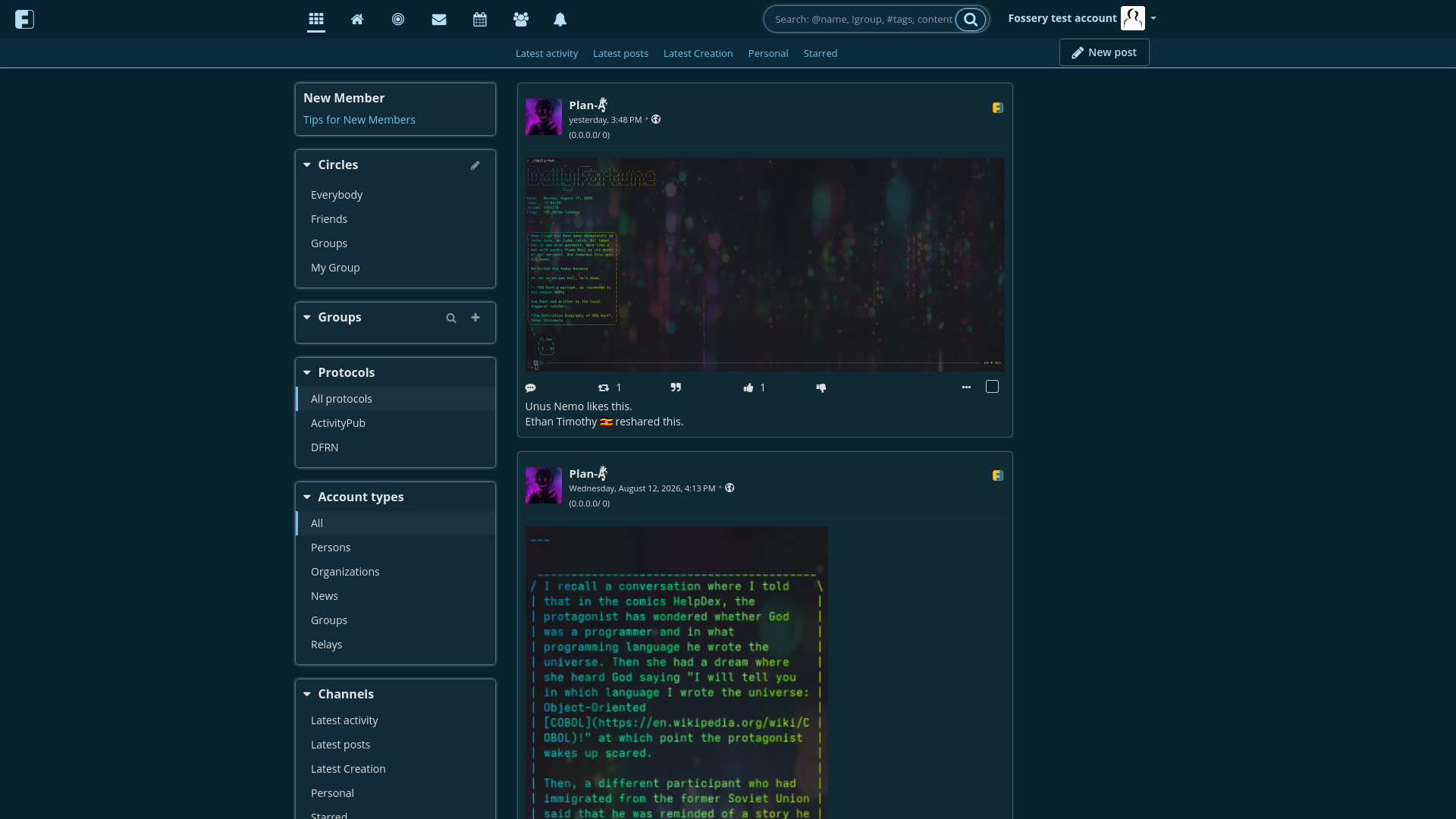
Looking for a Facebook alternative? Friendica has you covered. It's one of the oldest, still actively developed (community-developed) Fediverse platforms. It has features like DM, RSS support, event management, circles (friends, groups and custom circles). Besides the current Fediverse standard ActivityPub protocol, it also support the old OStatus, the Diaspora protocol, and its own DFRN protocol (so it can communicate with a few more platforms than the other platforms I mentioned, although most of those additional platforms (like Diaspora) are pretty niche, so the difference isn't that significant).
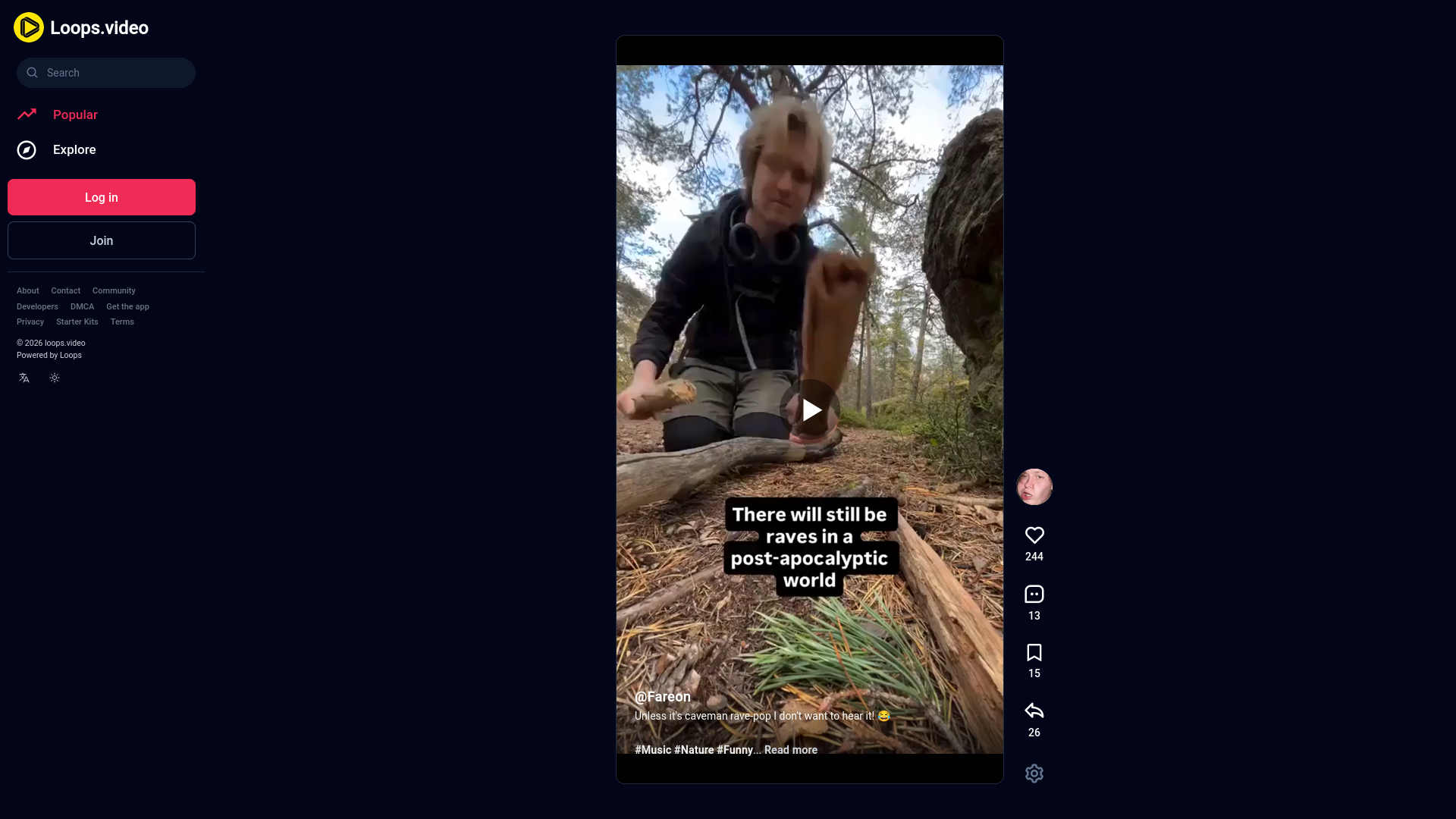
TikTokkers rejoice, there's also an option for you, Loops, from the devs of Pixelfed. You get basically the same experience, vertical short videos, infinite scrolling (except without an algorithm controlling what you see). It's a new platform (only 2 years old), so there isn't that much content on it yet, but hey, it needs to start from somewhere, if you like this short video experience, you can help it grow by sharing some content on it. You can find a list of Loops instances here.
And finally, the X/Twitter-like platform with a fun name: Sharkey. Sharkey sharkey, pleasey pleasey eatey eatey da Suckerbergey when he surfey surfey on the sea. Sorry, I had to make this joke lol
There are of course many more platforms. I insert the previous Big Tech vs. Fediverse platform table here, just for reference:
4. Benefits of the Fediverse
Fediverse is mainly run by individuals and non-profit organizations who aren't interested in making as much money from you as possible. They don't develop algorithms to make you addicted to their services, display thousands of ads, and sell every bit of your personal data to random companies you never heard of, all without your informed consent. In basically all Fediverse platforms, you see what you want to see (usually content from the people/channels you follow/sub to, or simply the latest content uploaded to a specific instance in chronological order). All Fediverse platforms (well, except for Threads, Flipboard and Tumblr...) are FOSS, so you (or someone else with the necessary knowledge) can freely look at the source code, and see what the specific platform's software does. No telemetry can be hidden from public eyes.
Since Fediverse isn't a single platform, but basically a network of networks, you can choose what user experience, type of content you prefer (choosing a platform) and what topics interest you, how much privacy you want, what rules you can adhere to without feeling limited (choosing an instance). You can also host your own instance, or even develop your own platform which can access the content of other Fediverse platforms, if you have the time, knowledge, resources to do so. You can't have this freedom with Big Tech platform, they are like "my way or the highway".
This decentralized nature of the Fediverse also makes basically impossible for authorities to force compliance with any law to the whole Fediverse. Sure, they might force Mastodon to implement age verification on the software level, but what about the other hundreds of Fediverse platforms (e.g. Friendica which is community-developed, so there isn't even a legal entity to sue for non-compliance)? And also the various forks (modified versions) of Mastodon (since it's FOSS) which purposefully remove the age verification crap if it gets added? And even the Mastodon instances which refuse to update to the newest version of Mastodon, where age verification was added? Those scumbag lawmakers can try as hard as they can, but they'll never win.
There are no walled gardens trying to lock you into their platform. In Fediverse, the lines between different platforms and instances are blurred, they can sync content between each other (with some technical limitations we'll discuss in the next section), so if a platform's or instance's devs/owners do something you don't like, you can simply move to another platform or instance (e.g. from Mastodon to Pleroma, or from mstdn.social to social.linux.pizza), without losing access to the content you like.
And there's no single entity owning the whole Fediverse, or even a single Fediverse platform. No one has full control. Instance admins have full autonomy, they can do whatever they want with their instance.
So yeah, basically freedom for users and instance admins, immunity against all the non-sensical laws. This is what the Fediverse has to offer.
5. Drawbacks, limitations
As basically every piece of technology, the Fediverse isn't perfect either.
As I mentioned, content syncing between platforms (or sometimes even instances of the same platform) isn't perfect. E.g. PeerTube only supports video content, so you won't see any Mastodon, Pleroma, etc. posts there (users of those platforms can comment/reply to PeerTube videos, but if they include a media attachment in their comment, the comment will appear without the attachment on PeerTube). Pixelfed hides posts from other platforms by default if they don't contain an image attachment, you need to go to the settings and manually enable other types of posts. There can also be cases when a specific person's profile isn't fully synced to another instance or platform (e.g. not all of their posts appear on the profile page, or their follower count shows a lower number than on their own instance, I noticed this on my Mastodon profile when I searched for it with my Friendica account I created for testing purposes).
Since instance admins have full freedom when managing their instance, they can choose the censor things they don't like, and block other instances which have different rules (e.g. most Mastodon instances censor specific political wing's opinion, saying they protect users from hate speech and abuse), which limit free speech, and hurt the federated nature of the Fediverse. Sure, some people might get emotionally hurt from hateful comments, but come on, we are adults, we can handle situations like that ourselves. Those sick hateful people can be blocked by users if they don't want to interact with them. Basically all Fediverse platforms have a block feature (not just on the instance level, but also for users), so the option is there. Users should have the freedom to decide who they want to interact with, and what content they want to see. (To be clear, I'm not a fan of any of the two wings. I like to think on my own, don't want to tie myself to any political ideology. Regardless, I think that everyone deserves free speech, including those who believe that one wing is good, the other is bad.)
But Mr. Fossery! What about the children? They get hurt by predators and hateful people! 😱
Children shouldn't be allowed to access social media, to begin with. If they can access a Fediverse platform/instance, it isn't the instance admin's problem. It's the parents' problem who fail to safeguard their children. Simple as that. Censorship isn't the solution. You can't solve a problem by creating another problem. If I had my own instance (Mastodon, Pixelfed or whatever), the description of the instance would probably be something like this: "This is a free speech instance. You're free to express yourself regardless of your political beliefs, wing, gender, sexual identity, religion or whatever. If you recieve hateful messages, comments, you have the option to block the sender yourself if you wish, I won't babysit you. You have full freedom to decide who you want to communicate with, and what content you want to see. If you're a parent, it's your responsibily to protect your children's mental health. If you fail to prevent your children from using this instance, don't blame it on me. If you get doxxed, or receive life threat, please call the cops, I can't prevent anyone from breaking into your house. I'm just a sysadmin keeping this instance running, nothing more." But this level of free speech probably couldn't be implemented in reality, because other instances would quickly defederate mine from the whole network if someone joins my instance who has a different opinion than them, so users wouldn't actually be able to communicate with anyone outside my instance unfortunately. (Although TILvids has a similar policy (not expressed so explicitly, but basically states the same), it only allows educational content, most fanatic left/right-wing people don't take the effort to think and explain things objectively with valid reasoning, and not just say "left is woke" or "right is fascist", so I guess that's the reason why only a really small percentage of content is political there, and TILvids is accepted by other instaces. Maybe limiting content to educational stuff would solve the issue for my theoretical instance too? 🤔 Who knows.) I probably won't make my own instance though, because I don't have the time and money to do so, but it would be interesting to see someone else with a similar mindset host a Mastodon instance. But of course instance admins have full control over their own instance, so they have the right to introduce censorship. If you're an instance admin reading this, I'm not trying to tell what you can or cannot do, it's just my personal opinion that you aren't doing the right thing, please don't take it as an offense.
Another common issue is one platform having a single official instance which is by far the largest regarding the number of users (e.g. mastodon.social in case of Mastodon, pixelfed.social in case of Pixelfed). This isn't healthy for the decentralized nature of the Fediverse. As the owner of the Fedi.tips tutorial site said: there's a high risk of a large corporation buying out the software project plus the official instance (since the same entity controls the two), and will have too much influence over it. But even if no one buys them, they have too much influence themselves. It can potentially negate one of the advantages of the Fediverse: the resilience against crappy laws like the age attestation/verification laws, since if the developers of the platform's software (e.g. Mastodon or Pixelfed) bend their knee, the majority of the users will be forced to verify their age. Also, admins of other instances are afraid to do anything the Mastodon or Pixelfed team doesn't like, and might get their instances blocked by the main Mastodon/Pixelfed instance, their users lose access to all the content on the main Mastodon/Pixelfed instance, so the devs of those two platforms can basically dictate the norms (which basically defeats the whole point of instance admins having the freedom to decide what they allow and what not). This is why I told you that you should join a smaller instance, so you don't give even more power to Mastodon's and Pixelfed's hands. Fediverse should be kept as decentralized as possible.
Limited resources are also a common issue. As I mentioned, there's no Fediverse alternative to Big Tech movie streaming services. This is probably because individuals and smaller organizations running the instances of the various platforms have limited amount of money they can spend on expanding server capacity, and they can't purchase the distribution rights to hundreds of movies, to fill their service with content (sure they could distribute movies illegally, but that wouldn't be sustainable in the long run, they could be sued by the film studios, plus there are already places like The Pirate Bay for that). The first one is the same reason why quite a few PeerTube instances give limited quota, or ask for paid subscription to expand quota, disable channel sync, etc. Storing videos on the server requires storage space which costs money for them, donations might not be enough to sustain the instance.
6. Threads threats
And finally, the elephant in the room (no, not Mastodon's mascot): Threads. Meta smelled the success of the Fediverse, so decided to jump in. They can't stand competition, so they want to EEE (embrace-extend-extinguish) the Fediverse. They implement the ActivityPrub protocol in Threads to connect their users to the Fediverse (embrace), then introduce features to their closed, proprietary codebase which aren't available on other Fediverse platform (extend), which makes it impossible for the devs of other platforms to compete with them, then they convince users to join their platform, and once they got the vast majority of Fediverse users on board, they discontinue ActivityPub support, saying "it isn't used by many people", and leave the remaining users of other platforms behind (extinguish), so the Fediverse will basically become a wasteland, just like GNU Social is currently, but the whole Fediverse would be like that. They are hungry for money and power. The more people they get on board, the most money they can extract from them, so the better for them.
Another issue is the same one I mentioned in relation to the official Mastodon and Pixelfed instances: too much power in a single hand. But in Threads' case, this issue is basically a hundred times more severe, as it already has 400M+ users, comparing that to the ~10-15M users all the other Fediverse platforms (at least the FOSS, truely decentralized ones, excluding Flipboard and Tumblr too) have collectively, it's a huge difference! Meta can basically dictate the norms, and push other platforms/instances to behave like they want. And the sad thing is that the admins of most larger instances (including the official Mastodon instance!) are ok with this, and allow Threads to connect to them, so they are like "Come, Meta, come. We're glad you're here".
This "giving Meta a chance" mindset is what will kill the Fediverse in the long run, if those admins don't wake up, and start to push back against this by blocking Threads.
Do we want all of this? I don't think we do. Most of us probably want Fediverse to survive, because of the benefits I mentioned in the "Benefits of the Fediverse" section, even with its weaknesses. As a user, the best you can do is to choose an instance which blocks federation with Threads (unfortunately not all platforms show blocked instances, but Mastodon and Friendica do, so you can check it for those). And most importantly: never EVER register to Threads, no matter how hard they try to convince you, and what shiny features they add to their platform. If you do, you basically help Meta kill off the Fediverse, and your freedom is gone (well, it's already gone at the moment you register).
Same applies to Flipboard and Tumblr. Even though their platforms aren't as big as Threads, they are still much larger than the FOSS, decentralized platforms, so they also have too much influence.
These massive centralized platforms, which don't have multiple instances, but run from a single server park, don't belong to the Fediverse, we should treat them as intruders. Fediverse is only for platforms which are willing to adapt to its culture (decentralized, FOSS, not run by a large, greedy, profit-driven corporation), and not the other way around. If I had my own instance, I'd block all those 3 platforms (nothing else, just those), to protect the decentralized nature of the Fediverse.
7. Conclusion
This is it for this article. It was kind of like a mix of tutorial, rambling, advocacy, with some silly jokes, but hope you enjoyed it. I know all this information might seem a bit overwhelming, but once you understand the basic concepts like decentralization, federation, platforms, instances, you'll probably understand all the other stuff.
If you have any questions, feel free to drop them in comment under the Mastodon/Odysee post you came from, or in DM.
If you enjoy my articles, you can sub to FosseryWeb's RSS feed.
P.S. I know some people will take an aim on me for using "they" when talking about a single person, but if I use "he/she" then the members of the other wing will be mad, so I just decided to don't give a crap, and just use whatever sounds natural to me, since as I said, I don't care for any of the two wings. It's English, so there's no other way to express myself.